

SwiftServer - Monitoring & SSH 2.2.0 — Mac version
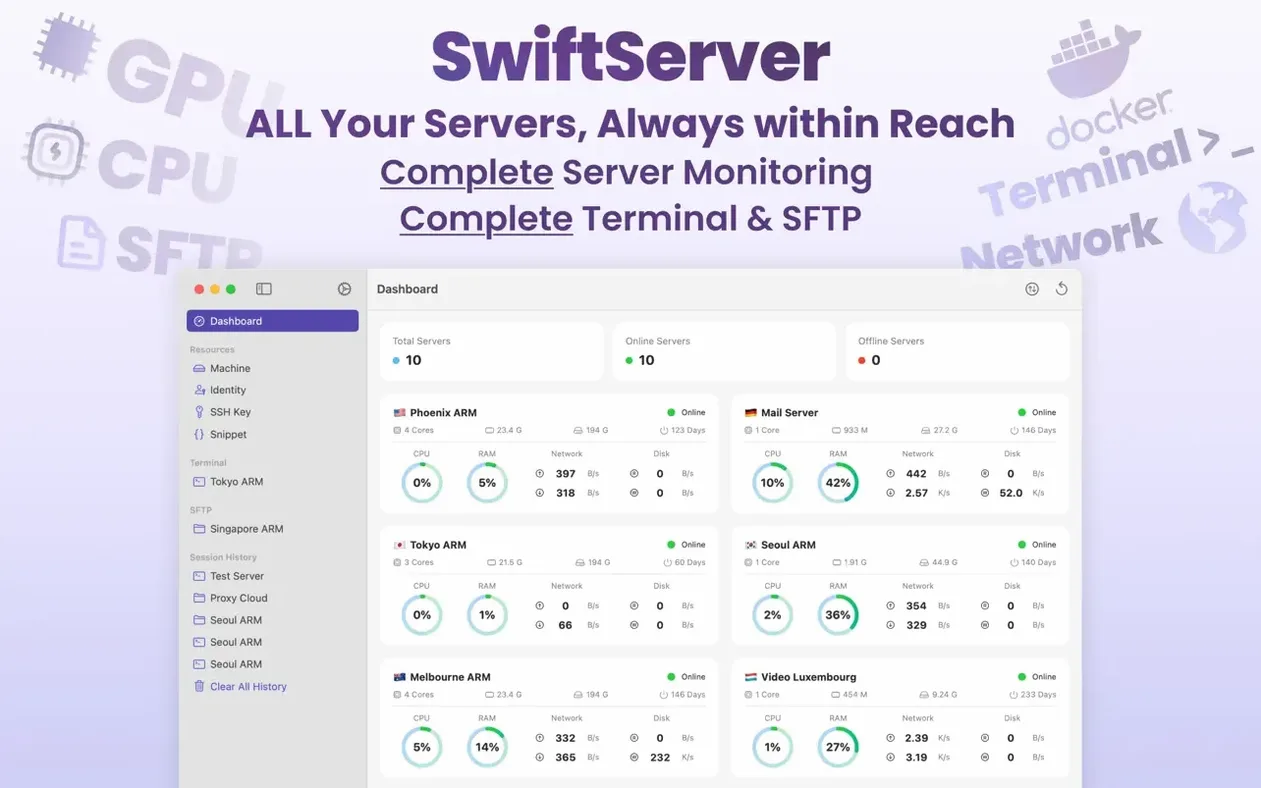
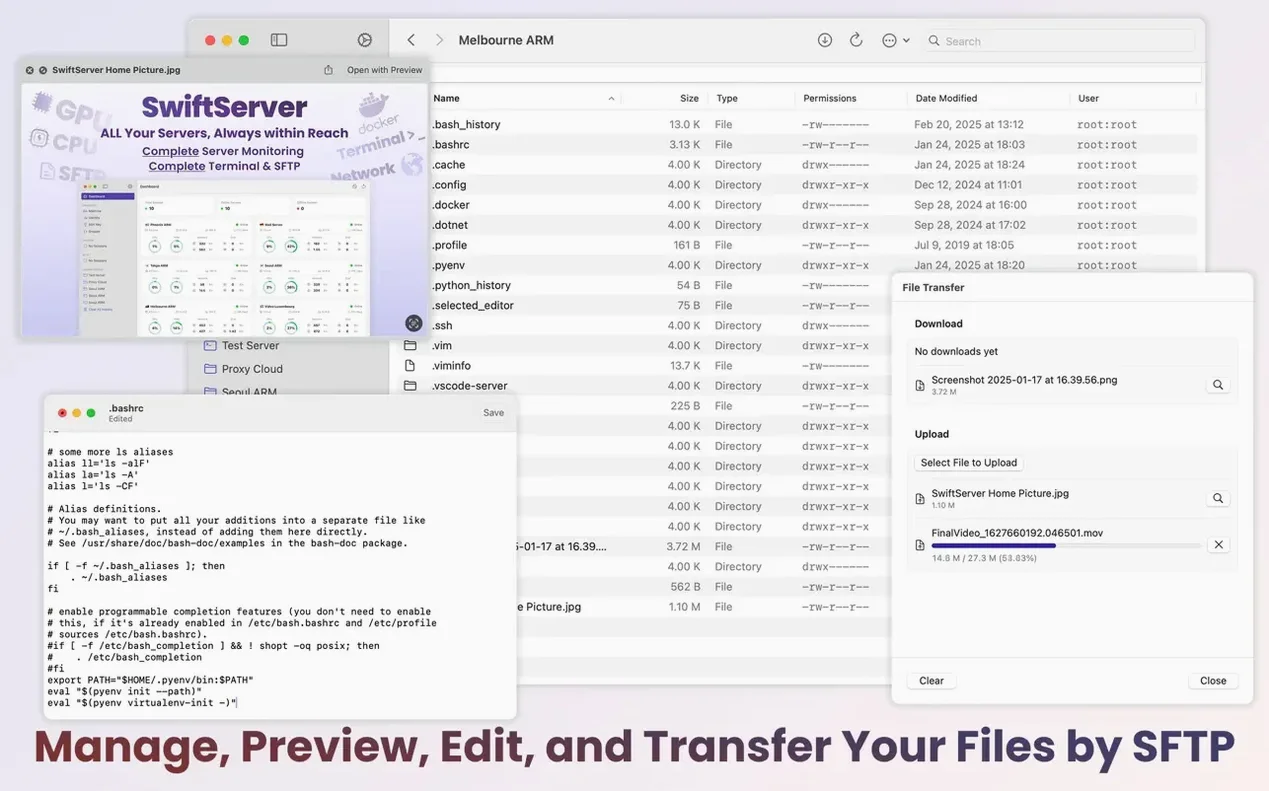
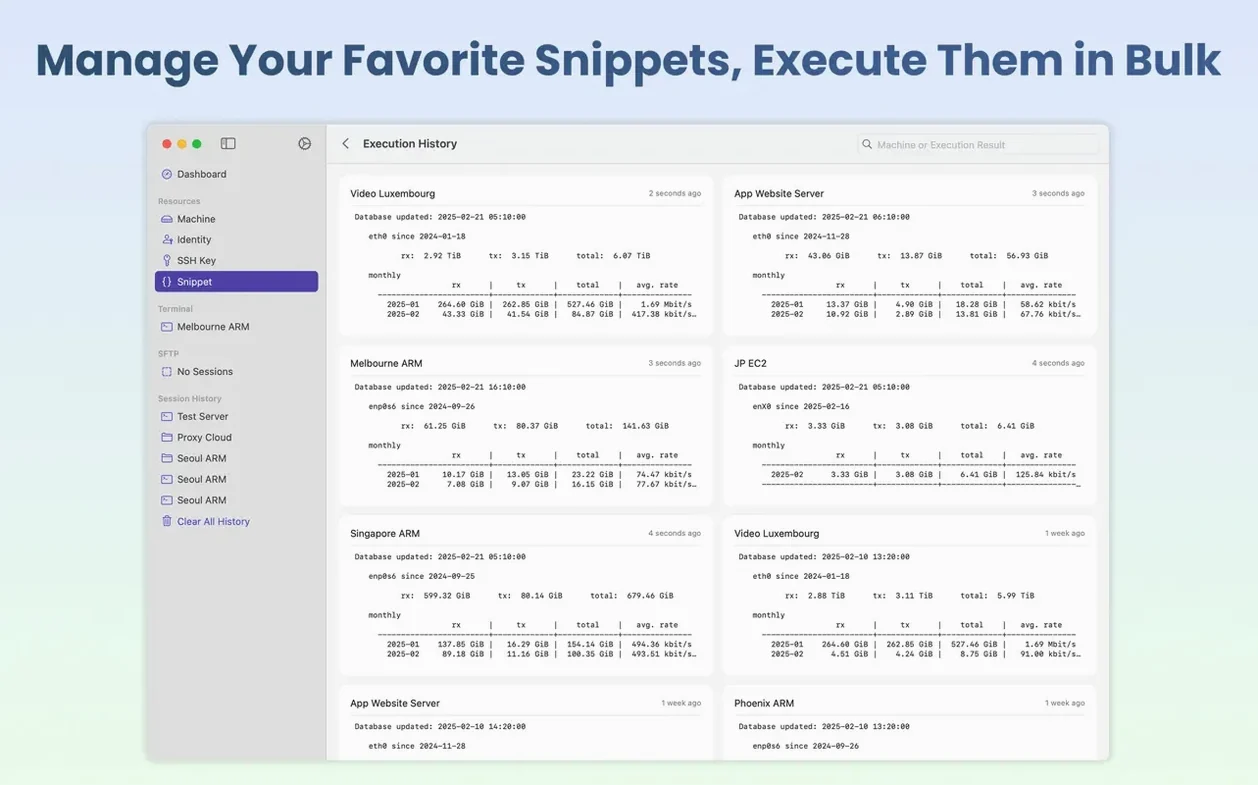
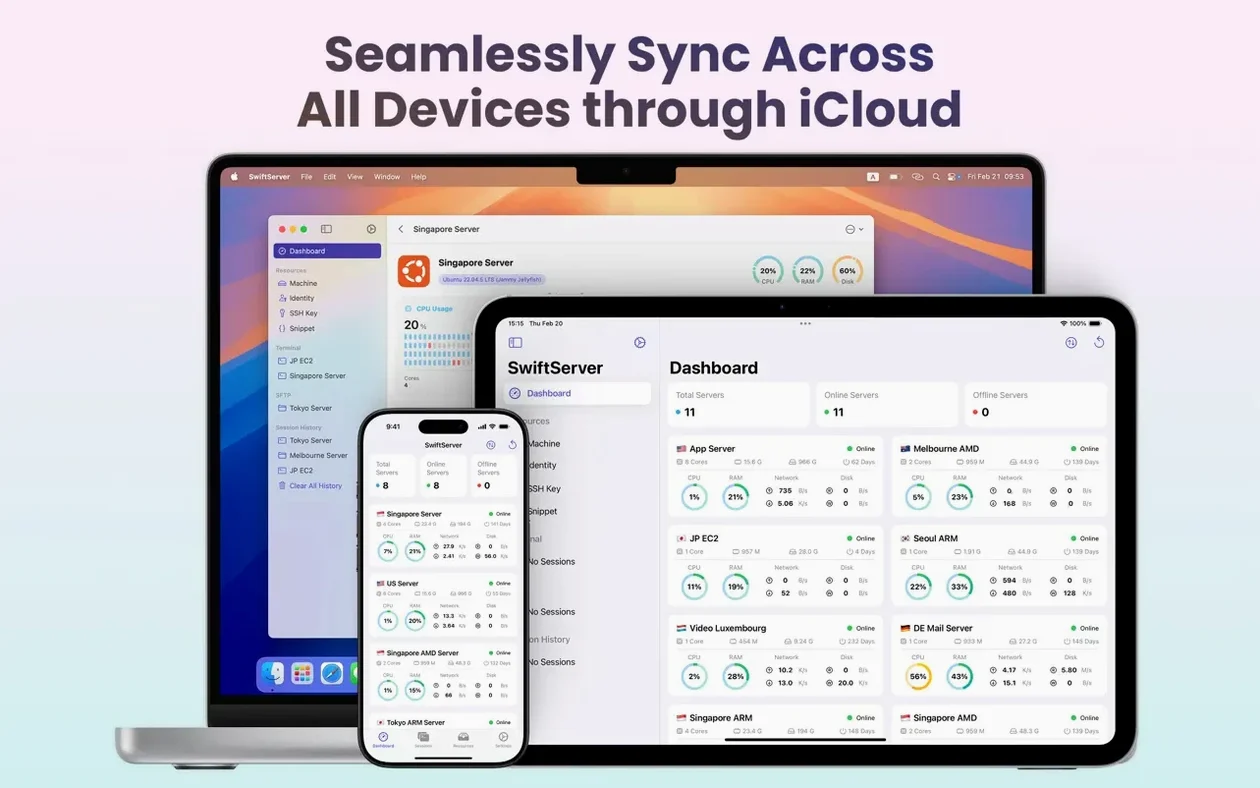
Sysadmins and homelab tinkerers reach for it when they want a quick health check on a Linux box, a macOS server or a Windows machine without logging into a web dashboard.
Agentless monitoring — all the readings come over an existing SSH connection. No extra daemon, no open ports beyond what SSH already uses.
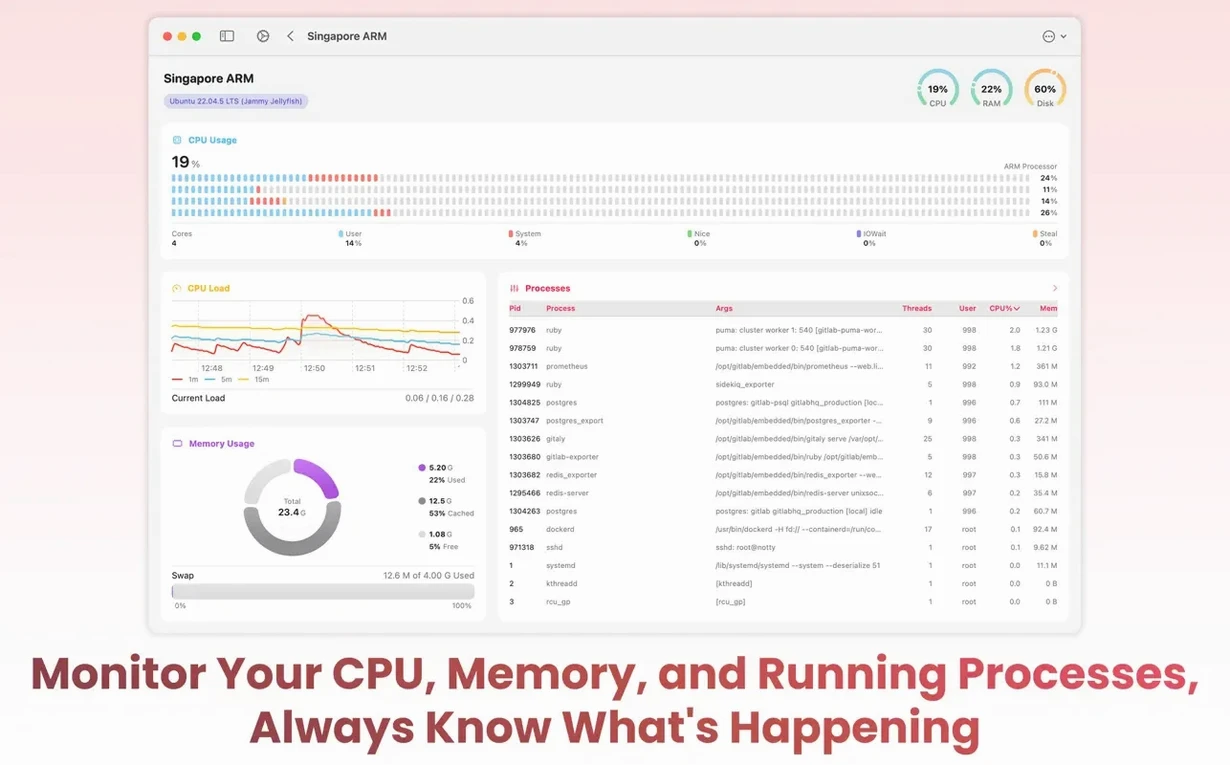
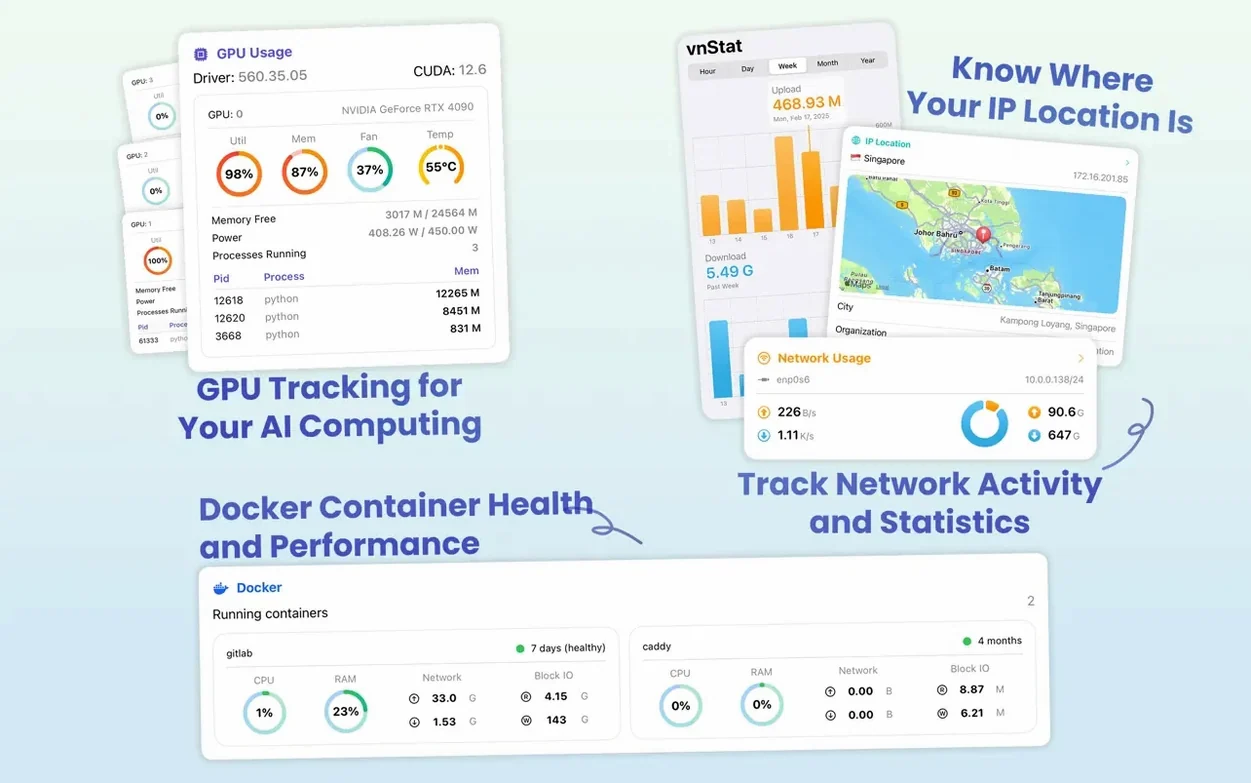
Live hardware stats — CPU load, GPU activity and memory pressure update in real time. You spot a runaway process before it takes the machine down.
Network and disk — bandwidth graphs show what is moving in and out. Storage panels list mounted volumes and free space. A public IP lookup pins the server on a map.
Docker awareness — container lists, live Compose logs and a shell straight into a running container. Useful when a stack misbehaves and you need to poke around.
Cross-platform — the same app works on an iPhone in a data-centre cold aisle or on a Mac desktop with the menu bar panel ticking away.
Checking our Raspberry Pi fleet from the menu bar
We keep a few Raspberry Pi boards humming at the repair café — one runs our booking calendar, another handles the parts inventory. Here is how a lunchtime check looks with SwiftServer.
- Open the menu bar panel. The dots are green, so no alarms. One Pi is nudging 62 °C — warmer than usual but not scary.
- Click the Pi to expand. CPU sits at 14 percent, memory about half used. A cron job just finished; the spike is already dropping.
- Switch to the storage tab. The SD card on the calendar board has 4.1 GB free. I make a mental note to rotate logs next week.
- Open a terminal into the inventory Pi.
docker psshows the stock database running. Uptime: 23 days. All fine. - Tap the pause switch before stepping away — no point polling a board I am not watching right now.
No browser open, no SSH keys typed by hand. Three minutes, two boards checked, one temperature noted.
Group hosts in iCloud for staging vs production
You do not need to learn everything at once. The monitoring panels work straight away once you add a host. A few things help early on.
- Group hosts sensibly. Put staging servers in one iCloud folder and production in another. The sync means your phone already knows the layout when you are away from the desk.
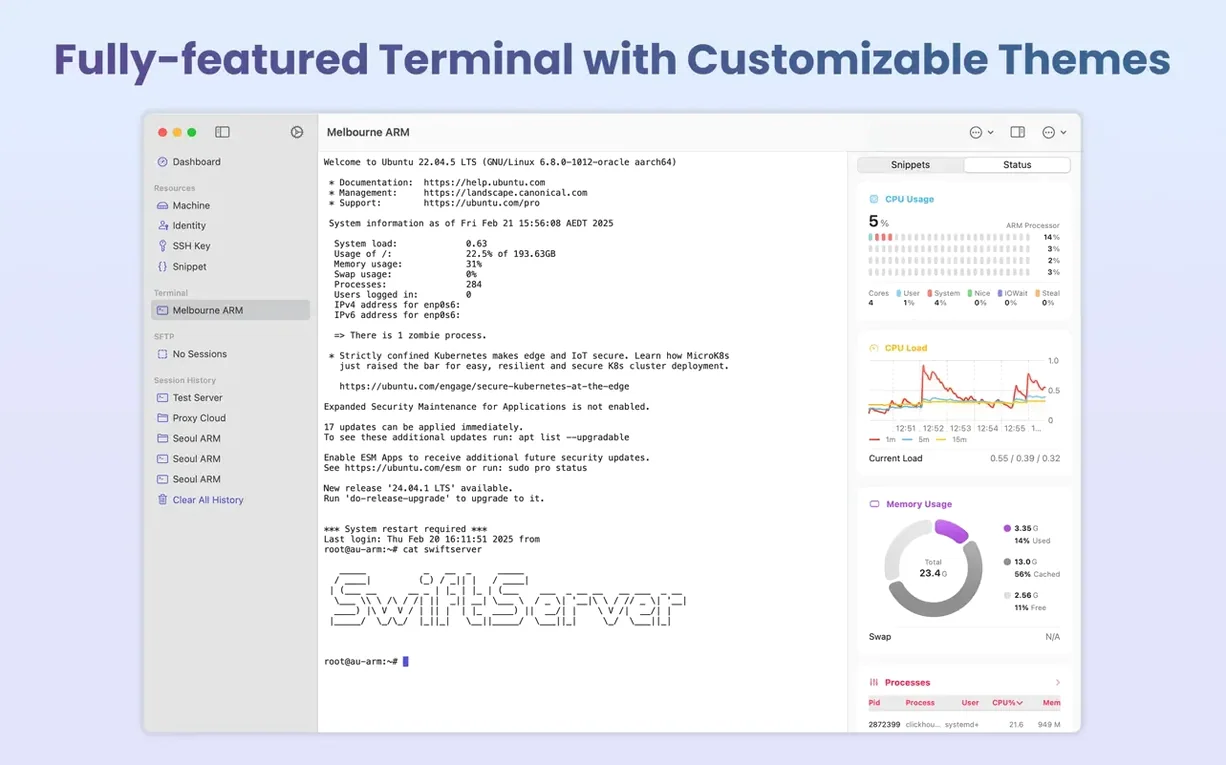
- Tweak the terminal early. Pick a font size and colour scheme you can read at a glance. The defaults are fine, but a slightly larger monospaced font saves squinting during a long session.
- Try the local terminal. It sits alongside your server connections. Handy for running
pingordigwithout leaving the app to open Terminal.app. - Use the pause switch. A homelab NAS does not need second-by-second updates overnight. Pausing cuts chatter and keeps the menu bar quiet.
- Remember the SFTP pane. You can drag a config file straight from Finder onto a server, or preview a log without downloading it first.
Agentless graphs instead of running load commands
Next to Termius. Termius is a polished SSH client with a built-in snippet library and cross-device sync. Where SwiftServer pulls ahead is the agentless monitoring dashboard. Termius expects you to run commands to check load or disk; SwiftServer shows graphs and gauges without typing, and the menu bar panel keeps them visible after you close the window.
Next to Royal TSX. Royal TSX is a connection manager powerhouse — RDP, VNC, web and SSH in one window. But it leans on plugins and feels heavier to set up. SwiftServer does fewer protocols and that is the point. The read-only monitoring and Docker shell work with no plugins, no credentials beyond the SSH key you already use.
Next to iTerm2 with ssh. iTerm2 plus a shell script can replicate some monitoring, but you are building it yourself. SwiftServer gives you the dashboard wrapped in a native Mac app, synced to an iPhone, with a menu bar presence that does not need a terminal window sitting open.
For the sort of work where you need a SwiftServer - Monitoring & SSH crack Mac search to just give you an app that works without fuss, the approach here is straightforward: one binary, read-only checks over SSH, no server-side install.
- Local terminal on Mac — run commands without leaving the app
- Menu bar panel for continuous monitoring at a glance
- Shell into running Docker containers
- Live Compose logs
- Machine restart from the app
- Pause switch to freeze monitoring readings
- macOS 15 or later
- Apple Silicon or Intel Mac
- An SSH server to connect to
Questions from the bench
Does SwiftServer need an agent installed on the server?
No. It reads everything through a standard SSH connection, so the target machine stays untouched.
Which operating systems can it monitor?
Linux, macOS and Windows servers are all supported, as long as you can SSH into them.








 Back up
Bench talk (0)
Sign in or get a library card to pin up a note.
Nobody has chimed in on this card. If you have used it on an old Mac, say which one.