

iReal Pro 2026.3.2 — Mac version
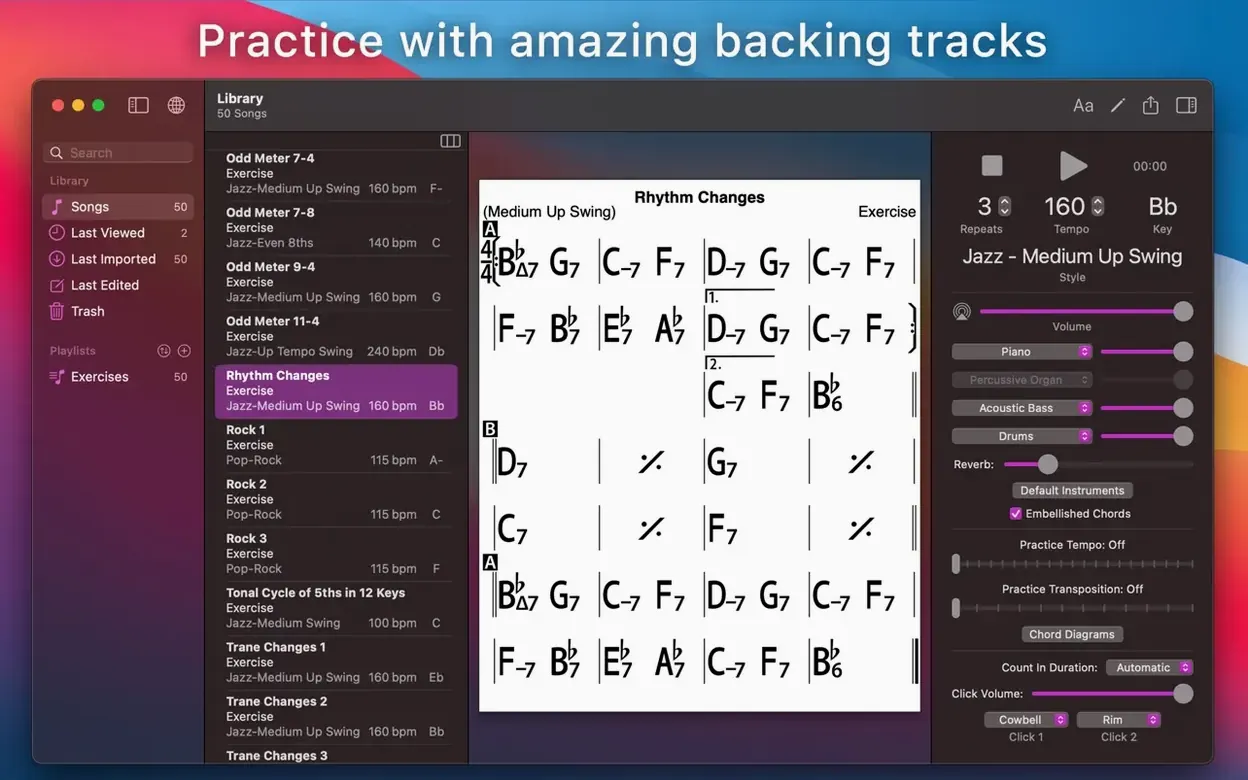
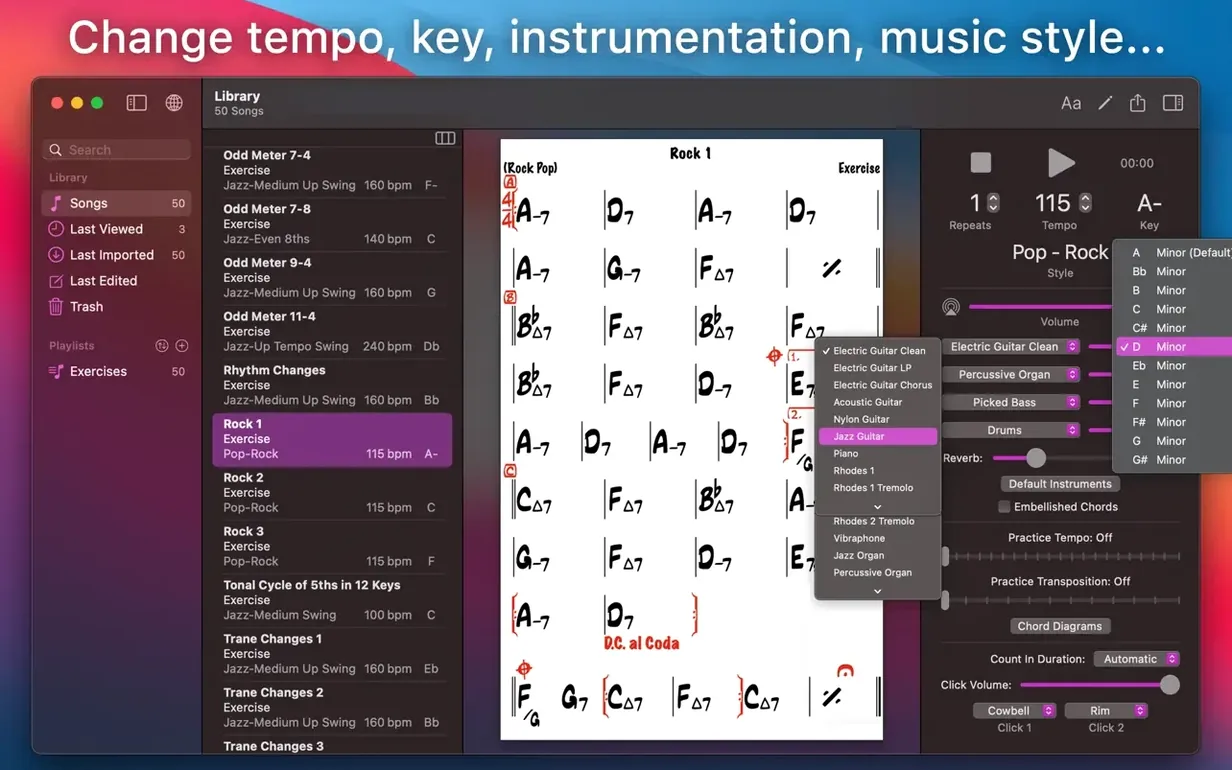
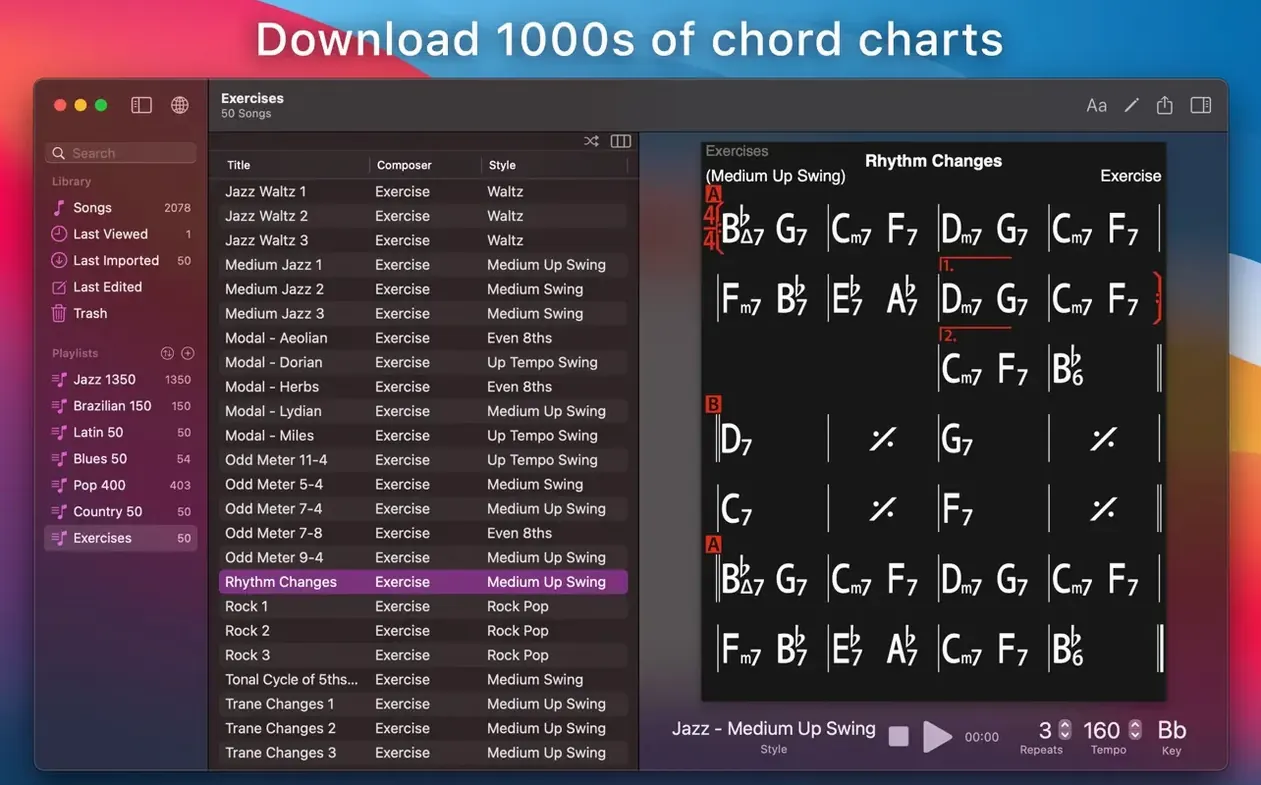
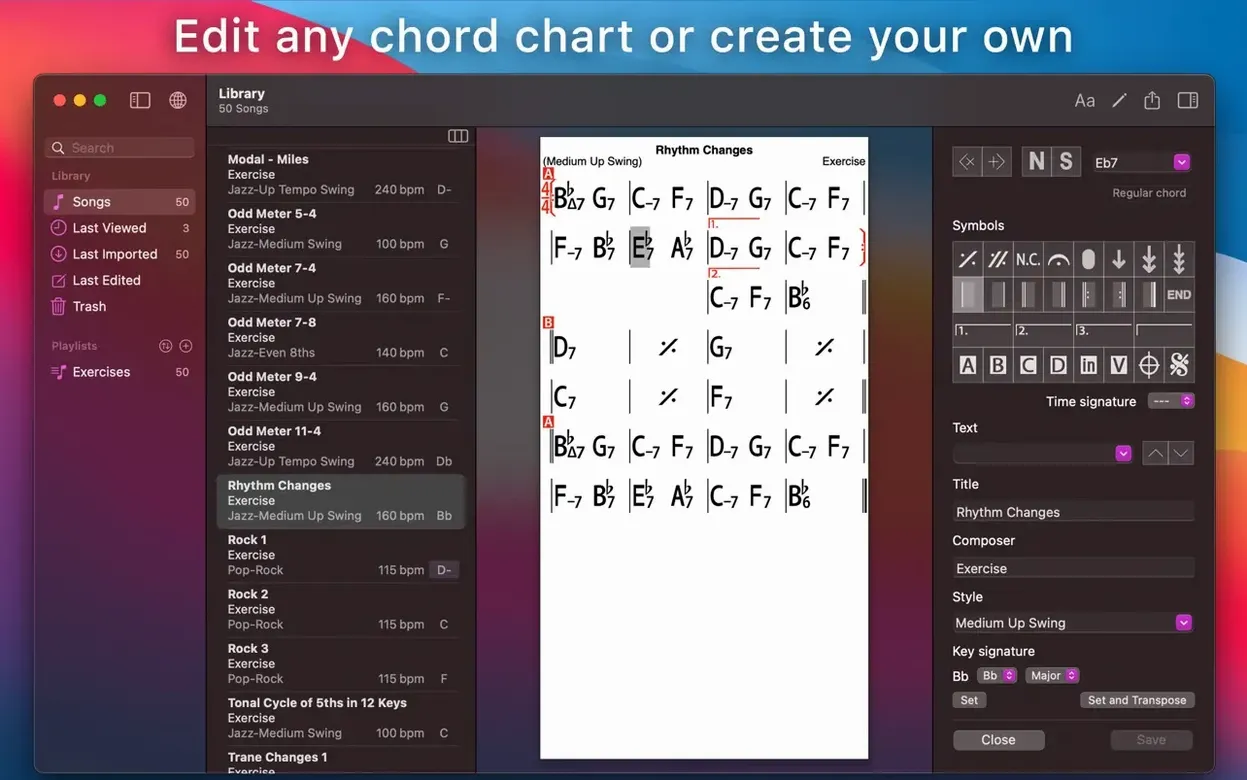
If you have ever used a simple lead sheet or a fake book to learn a tune, iReal Pro is the logical next step. It is a practice tool that turns chord charts into a full backing band, playing along in styles that range from bossa nova to hard swing. You build or download a song's chords, and the app plays a bass line, drums, and piano or guitar accompaniment that follow your chart in real time.
- 51 accompaniment styles, from jazz to pop and Latin
- Export charts as PDF or MusicXML to share with other players
- Bounce the backing track as WAV, AAC, or MIDI for further use
- Record your own singing or playing right over the accompaniment
- Tap a chord to see scale suggestions, guitar and uke tabs, or piano fingerings
- Organise songs into as many editable playlists as you need
The Mac version is its own thing, separate from the iPhone and iPad apps. It is built for Apple Silicon and Intel machines running macOS 12.4 or later. Once you have a chart, you can change the tempo, shift the key, and loop the tricky four bars until they sit right under your fingers. It does not teach you tunes, but it gives you a patient band that never complains about the fifteenth take.
How iReal Pro stacks up against similar Mac apps
Three apps tend to come up when Mac musicians talk about chord charts and backing. Each does something well; none does everything iReal Pro does.
Band-in-a-Box is the heavyweight. It generates full arrangements — intros, solos, endings — from chord symbols, and it can produce startlingly human-sounding results if you put the work in. The trade-off is complexity. Band-in-a-Box comes from the Windows world and it feels like it on a Mac. For a jazz guitarist who wants to run down the changes to "Stella by Starlight" at 180 bpm without touching a manual, it is overkill. iReal Pro gets you playing faster, with less clicking.
Mapping Tonal Harmony Pro takes a different approach. It maps chord function across a tune, showing you how the harmony moves, which scales sit over each chord, and why. That is its strength: it teaches. What it does not do is play you a swinging ride cymbal while you solo. It is a study aid, not a band. Plenty of teachers use it alongside iReal Pro rather than instead of it.
Chordbot is closest in spirit: pick chords, pick a style, press play. It is simpler and lighter, and it works well for sketching a song idea or practising over a loop. But its style engine is less convincing than iReal Pro's, and the community library of user-created charts — one of iReal Pro's quiet superpowers — does not exist. For a working musician turning up to a jam session, the difference matters.
If you have searched for an ireal free download or an ireal pro torrent because you are not sure the app is worth the space on your drive, the comparison helps: iReal Pro sits in a sweet spot between the academic depth of Mapping Tonal Harmony and the full-arrangement ambition of Band-in-a-Box. It picks one job and does it well.
Jazz and blues players get 51 swing, bossa and Latin styles
The short answer: anyone who regularly plays over chord changes. The longer answer breaks down by how you use it.
Jazz and blues players are the natural audience. The 51 accompaniment styles lean heavily into swing, bossa, ballad and Latin feels, and the 12 blues styles cover most shuffles and grooves you will meet at a jam. Transpose a chart to any key in two taps, loop the bridge until the substitutions feel natural, and record your solo to hear what actually came out of the horn — not what you thought you played.
Singers benefit differently. You can shift a tune to your key, strip the piano out of the mix so you hear only bass and drums, and practise phrasing without a chord instrument stepping on your notes. The record-and-playback feature is brutal but honest about pitch and timing.
Guitarists and ukulele players who read chord symbols but want fingering help will use the tab display constantly. Tap Cmaj7#11 and the app shows you where to put your fingers. It is not a method book, but it bridges the gap between "I know the symbol" and "I can voice that on the neck."
Teachers build playlists per student — ten tunes at manageable tempos, say — and send the charts as PDFs. Some use the 50 built-in chord progression exercises for ear training. A student who practises with a steady beat and a walking bass at home arrives at the lesson with better time than one who practises alone with a metronome.
If you have grabbed an iReal Pro Mac torrent to test whether it fits your routine, the honest question is: do you practise tunes often enough that a band-in-a-box that never gets tired would change your sessions? For the four groups above, the answer is usually yes.
A short day in the life of a bass player
Marie plays double bass in a quartet. The bandleader emails a setlist on Tuesday for a Friday gig. Three tunes Marie has not played before. She searches the iReal Pro user forum on her Mac, finds two of the charts uploaded by another user, and types in the third herself — chords only, four minutes' work. She sets the style to "Jazz – Medium Swing," mutes the bass track so she is the only low end, and sets the tempo to a comfortable 120 bpm.
She plays through each tune three times. On the second pass of "I Thought About You," the bridge trips her up because the chords move in half-time. She loops bars 17 through 24, slows the tempo to 90, and runs the section six times until the changes feel like a path she has walked before. She records the last take, listens back on headphones, and catches two notes where her intonation drifted sharp. Friday goes fine.
Turn down the piano and bass so the mix isn’t a wall of sound
Almost everyone makes the same handful of errors in the first week. They are easy to fix once you know about them.
- Leaving all three instruments on full. The default mix plays piano, bass and drums at equal volume. For most practice, you want to drop the instrument you are playing. A pianist who leaves the piano track on ends up fighting the app's voicings and learning nothing about comping. Mute your own instrument first thing.
- Not touching the tempo until it is too late. Beginners often set a chart to performance tempo on day one, stumble through it, and feel defeated. Start at half speed. The app does not judge. Speed it up only when your fingers know where they are going.
- Ignoring the mixer entirely. The bass and drum volumes are adjustable per instrument. For ballad practice, some players drop the drums to a whisper and let the bass carry the pulse. It is three sliders that change the whole feel.
- Assuming the user library is the finished chart. Charts from the forum are community-uploaded. Many are excellent. Some have wrong chords, missing sections, or odd repeats. Treat them as a starting point, check them against a recording, and edit freely. You will learn the tune better for the editing.
- Overlooking the number notation system. Transposing to Roman numerals (or Nashville numbers) teaches you the harmonic function of each chord. Beginners who stay in letter-name mode miss the chance to spot a ii–V–I in every standard they play. Switch the display to numbers once a week and watch the patterns emerge.
One practical tip: if you have found an iReal Pro crack or an iReal Pro Mac crack and are trying to get the app running on an older Mac, note that the current build needs macOS 12.4 minimum and runs on both Apple Silicon and Intel. Older versions that work on earlier systems do exist, but they lack the style updates and the smoother audio engine. If your machine can run Monterey, you get the full thing.
- macOS 12.4 or later
- Runs on Intel and Apple Silicon Macs
Questions from the bench
Can iReal Pro show me what notes to play over a chord?
Yes. Tap any chord in a chart and the app will display scale suggestions, along with guitar tab, ukulele tab or piano fingerings for that chord.







 Back up
Bench talk (0)
Sign in or get a library card to pin up a note.
Nobody has chimed in on this card. If you have used it on an old Mac, say which one.