
Arturia Analog Lab V 5.12.0 — Mac version
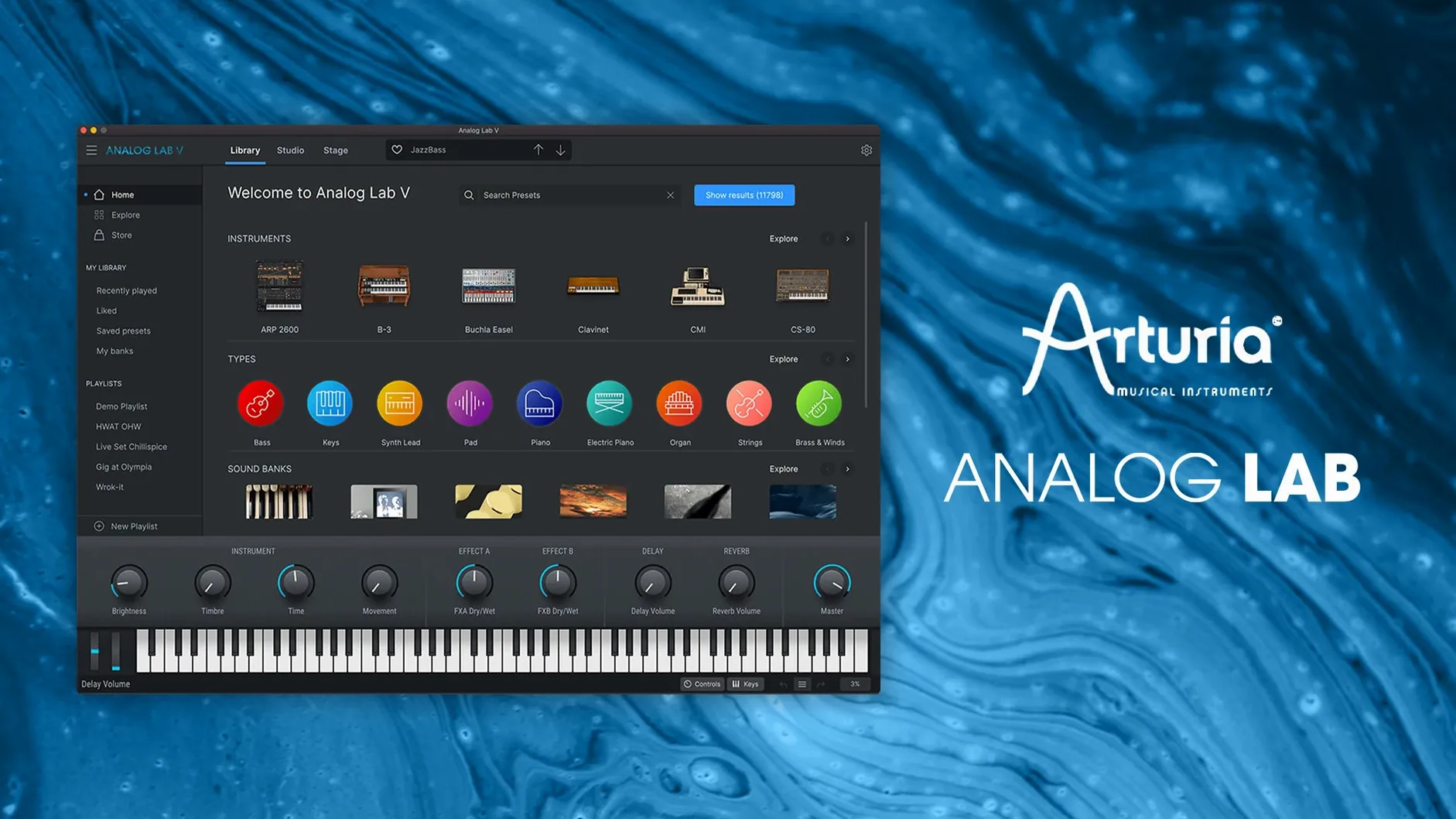
Version 5.12.0 keeps the core idea simple: every Arturia instrument preset in one place, without the fuss of loading separate synths. It's a preset browser first, an instrument second, and that's exactly what makes it useful when you're chasing a sound rather than building one from scratch.
The standout feature is the browsing itself. You can filter by instrument type, style, or character, so a vaguely 'warm pad' idea turns into a shortlist in seconds. The instant-access controls then give you a handful of macro knobs per preset — cutoff, colour, movement — so you can shape the sound without opening the full instrument.
It works as a standalone app or as an Audio Units, AAX, VST2, or VST3 plugin, which covers most DAWs on macOS 11 and later. On Apple Silicon or Intel, it runs either way.
Not a cut-down freebie — the same plugin Arturia ships with hardware
People always ask whether this is a cut-down freebie or the real thing. Analog Lab V is a full plugin — it's the same software that ships with Arturia hardware controllers, just without the hardware. The presets are lifted directly from the V Collection instruments. You're hearing the same synthesis engines underneath; what you don't get is the ability to open those synths and tweak every oscillator and filter stage. For that you'd need a V Collection licence sitting alongside it.
Another common one: does it need a controller to work? No. The on-screen keyboard works fine, and it'll respond to any MIDI keyboard you plug in. The macro knobs auto-map to the first few controls on most controllers too. If you already own an Arturia KeyLab or MiniLab, the integration is tighter — the browser follows the controller's knob turns — but it's not required.
And the big question: will it open old sessions that used an earlier Analog Lab? Yes. The plugin ID hasn't changed, so your DAW sees it as the same instrument. Preset names might shift slightly between versions, but the mappings and sounds carry over. You won't open a Logic project from 2019 and find blank slots.
Where Analog Lab V appears in Logic and Ableton Live
In a DAW, Analog Lab V loads as a standard instrument plugin. In Logic Pro, that means an Audio Units slot on a software instrument track. In Ableton Live, it's a VST2 or VST3 on a MIDI track. The standalone app is useful for quick sound-checking without booting a whole project — especially handy on a laptop where screen space is tight.
It plays nicely with macOS audio routing too. You can send the standalone output into BlackHole or Soundflower and record the audio elsewhere, or pipe it into OBS for streaming. MIDI routing through the IAC Driver lets you sequence it from a notation app like Dorico or MuseScore, though you'll want to set the buffer size in Arturia's audio settings to avoid lag.
If you use MainStage for live work, Analog Lab V appears as an Audio Units instrument just like anything else. Patch changes from a set list hit the plugin the same way they'd hit a hardware synth. One thing worth knowing: the browser's own search field doesn't respond to MIDI program change messages, so you'll want to save your chosen presets as MainStage patches rather than relying on Analog Lab's internal list during a gig.
The plugin also respects macOS's Focus mode — if you've got notifications silenced during a recording session, Arturia's background tasks (like the preset indexer) won't interrupt you. The indexer runs once after installation and then only when you add new sound banks, so it's not a constant background drain.
Swap the sluggish 512-sample buffer for faster key response
Open the hamburger menu top-right and head into Audio & MIDI settings. The default buffer size is 512 samples, which is safe but sluggish. Drop it to 128 or 64 if your Mac can handle it — you'll feel the difference in keyboard response immediately. The standalone app and the plugin have separate audio settings, so change both if you switch between them.
Next, open the preset browser and click the little cog icon beside the search bar. Turn on 'Show instrument name in preset list.' Without it, you're scrolling through names like 'Bright Keys' with no clue whether it's a piano, a Rhodes, or something from the CS-80. Knowing the source instrument helps you build a mental map of where sounds live.
Third one: in the Macro view (the default screen showing four to eight knobs), right-click any knob and choose 'MIDI learn.' Map the first four macros to physical knobs on your controller. The factory mappings are fine for Arturia hardware, but a generic controller often gets the assignments wrong. Two minutes of mapping saves you from reaching for the mouse every time you want to open a filter.
Last small tweak: set the 'Startup view' to Browser rather than Macro. The Macro view is prettier, but when you're starting a session you want the search bar front and centre. You can change it back later if you miss the big knob display.
A session with Analog Lab, from cold start to rough mix
It's a Tuesday evening. You've got a verse and chorus sketched in Logic, but the synth part is still a placeholder — a stock electric piano that feels like a rented tuxedo two sizes too big. You open Analog Lab V on the instrument track and the browser fills the window.
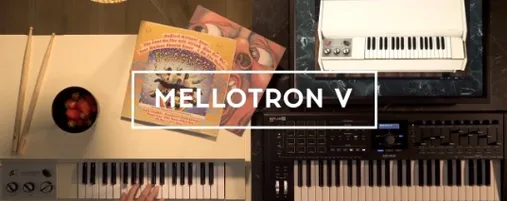
You type 'felt' into the search bar. Fifteen results. You tap through them with the arrow keys: a felt piano (too polite), a felt pad (getting warmer), then something called 'Woolly Felt' from the Mellotron bank. That's the one. It's slightly out of tune in a way that makes the chorus feel bruised. You flag it as a favourite with the little star icon.
You reach for your controller and twist the Cutoff macro. The sound darkens, tucking itself behind the vocal. You nudge the Movement knob and the vibrato wobbles in, slower than the factory setting. That's enough. You record the part in one take, then close the plugin window. The whole detour took maybe three minutes.
Later, mixing, you realise the pad is fighting the guitar in the low mids. You open Analog Lab again, click the Macro tab, and pull the Color knob left — it's mapped to a shelving EQ on this preset, and the mud clears without touching a channel strip. You save the Logic project. The tweaked macro position is saved with it. Next time you open the session, 'Woolly Felt' loads exactly where you left it, slightly detuned and darker than stock, no extra steps needed.
One practical tip: use the favourites flag while browsing. Next session, you'll spend less time scrolling and more time playing.
- macOS 11 or later
- Runs on Intel and Apple Silicon
- Standalone app plus Audio Units, AAX, VST2, and VST3
- Interface language: English


 Back up
Bench talk (0)
Sign in or get a library card to pin up a note.
Nobody has chimed in on this card. If you have used it on an old Mac, say which one.