

Swinsian 3.0.8 — Mac version
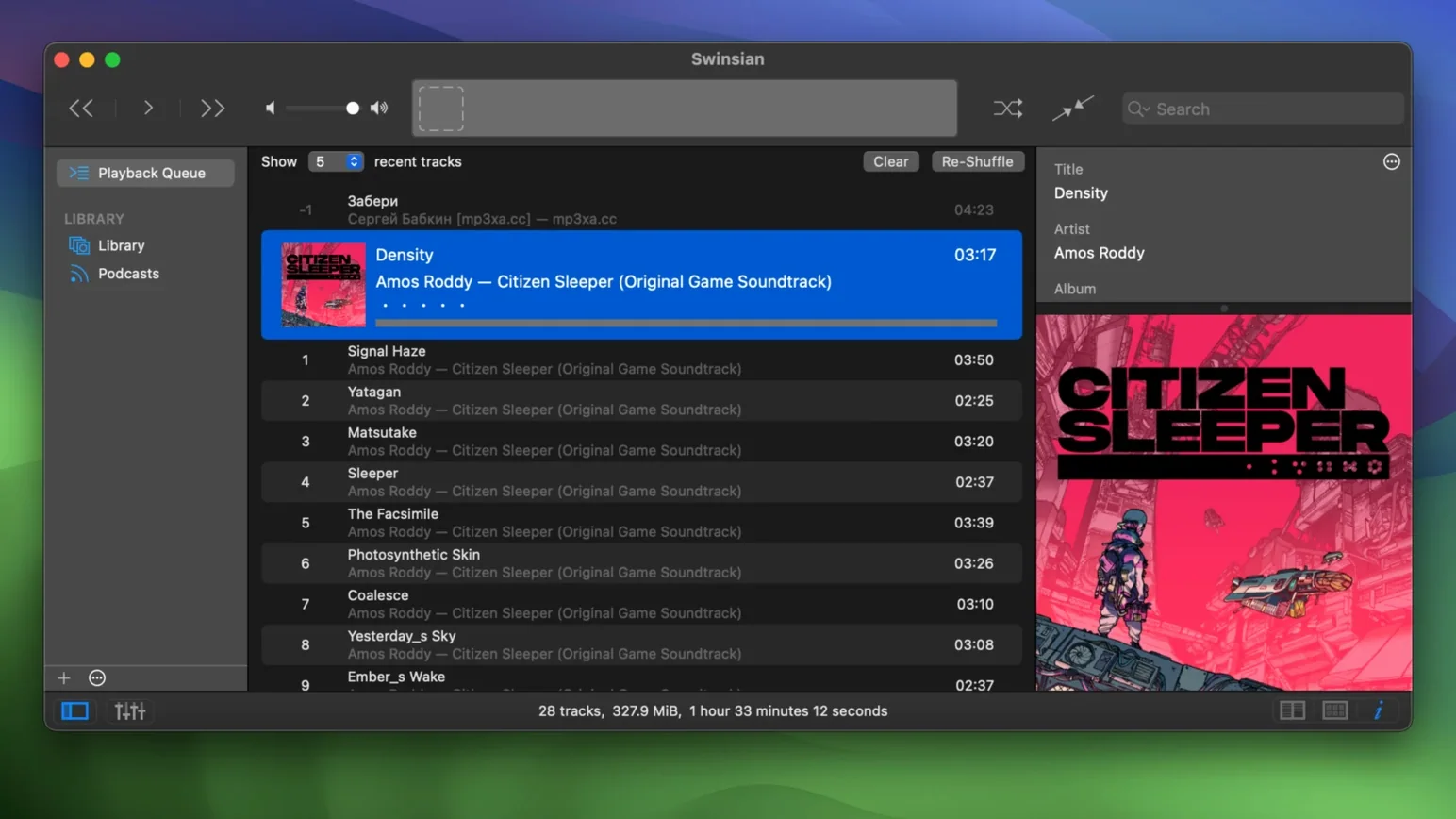
Version 3.0.8 arrived quietly with a handful of welcome tweaks — quadraphonic FLAC files now play properly, transcoding rules stick when you save them, and there is a hidden option to bump up the interface text if you are squinting at a high-res screen. Small stuff, but it shows the developer is still sanding off the rough edges.
Importing an iTunes library without losing play counts
- Will it read my old iTunes library? Yes, you can import an iTunes library directly. Play counts, ratings and playlists come across.
- Can it handle FLAC and cue sheets? It supports FLAC playback and reads cue sheets, including embedded cue metadata — handy if you archive whole-album rips as single files.
- Does it do podcasts? It can automatically download podcasts, which keeps everything in one player if you prefer that.
- Can I control it with the keyboard? Global keyboard shortcuts work even when Swinsian is not the frontmost app, and there is AppleScript support for deeper automation.
What the player is actually like
Swinsian is a local-library music player first. It watches folders for new files, fetches album artwork, and handles gapless playback without a hiccup. Library statistics sit in the sidebar if you like knowing how many hours of ska you have accumulated. AirPlay support means you can send audio around the house directly. The tag editor is more capable than what Finder or Music offer, and the whole thing runs on Macs back to macOS 10.13, Intel or Apple Silicon.
Compared with similar players
A few Mac music apps get mentioned alongside Swinsian. Here is how they differ in practice.
- IINA. IINA is a video player first, with audio as a side job. It handles FLAC and cue sheets but has no tag editor, no folder watching, and no library management. If you only play a few albums now and then it is fine, but for a collection of any size it feels like using a spanner to drive nails.
- Vox. Vox looks slick and plays hi-res files well. The catch is it leans heavily on cloud services and a subscription model for features like unlimited library storage. Swinsian stays local — your files, your drive, no accounts needed. Vox also lacks the find-and-replace tag editing and regular-expression search that Swinsian has built in.
- Foobar2000 for Mac. Foobar2000 is legendary on Windows, but the Mac port is a stripped-back affair. It plays almost anything and the customisation can run deep, yet the interface feels bolted on and folder watching is not its strong suit. Swinsian gives you a proper Mac-native interface with the same deep format support, plus smart playlists and Last.fm scrobbling without extra plug-ins.
Watching a folder turn a CD rip into a library
You have just ripped a pile of CDs to FLAC and dropped them into a watched folder. Here is how the next half-hour plays out.
- Folder watch kicks in. Swinsian spots the new files within seconds. They appear in the library without you clicking anything.
- Artwork fetch. The player pulls album art automatically. Two albums come up blank — obscure Japanese pressings. No surprise. You select both, right-click, choose Fetch Album Artwork, and this time it finds decent covers.
- Tag tidy-up. A compilation album has tracks tagged with six different spellings of the same artist. You open the tag editor, select all the tracks, and use find-and-replace with a regular expression to collapse the variations into one clean artist name. It takes thirty seconds.
- Duplicate check. You have a hunch that one CD was ripped twice. The duplicate-track finder confirms it and you delete the lower-bitrate copies.
- Listening. You queue up the new arrivals, turn on the 10-band equaliser for a slight bass bump, and let gapless playback handle the crossfaded tracks. Last.fm scrobbles quietly in the background.
- Smart playlist. Before you close the app, you create a smart playlist that gathers all FLAC tracks added in the last week with a rating above three stars. It populates instantly.
When the iTunes import progress bar goes quiet
Nothing is friction-free. Here are three things that trip up newcomers and how to fix them.
- iTunes import looks stuck. Large libraries can take a while, and the progress bar is not always chatty. Before you force-quit, check Activity Monitor — if Swinsian is still reading from disk, let it run. If it genuinely hangs, quit, delete the library folder in
~/Library/Application Support/Swinsian, and try the import again with a fresh start. - Cue sheet not splitting tracks. Swinsian reads cue sheets, but it does not split a single FLAC into separate virtual tracks unless the cue file has exactly the same filename as the audio file and sits in the same folder. Check that your
album.flacandalbum.cuematch. Embedded cues work too, but some older ripping tools embed them incorrectly. - AirPlay audio stutter. If playback stutters when sending to an AirPort Express or HomePod, try turning off automatic sample-rate switching in the playback preferences. Some older AirPlay receivers do not like frequent rate changes, and locking the output to 44.1 kHz often clears it up.
One more thing worth knowing: the hidden interface-text option from version 3.0.8 is not in the preferences window. You enable it by quitting Swinsian, opening Terminal, and running defaults write com.swinsian.swinsian LargeTextMode -bool true. The difference is subtle but welcome on a 27-inch iMac.
- macOS 10.13 or later
- Apple Silicon or Intel 64-bit Mac








 Back up
Bench talk (0)
Sign in or get a library card to pin up a note.
Nobody has chimed in on this card. If you have used it on an old Mac, say which one.