
Things 3.24.1 — Mac version
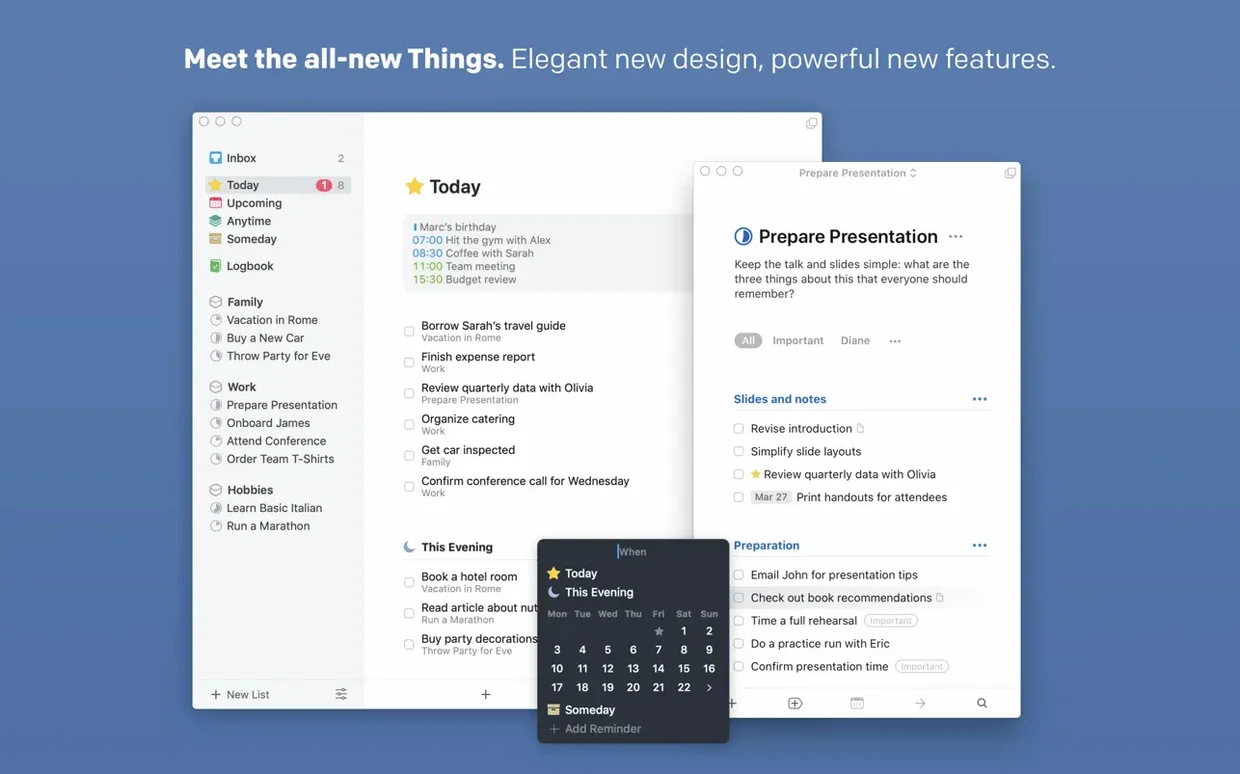
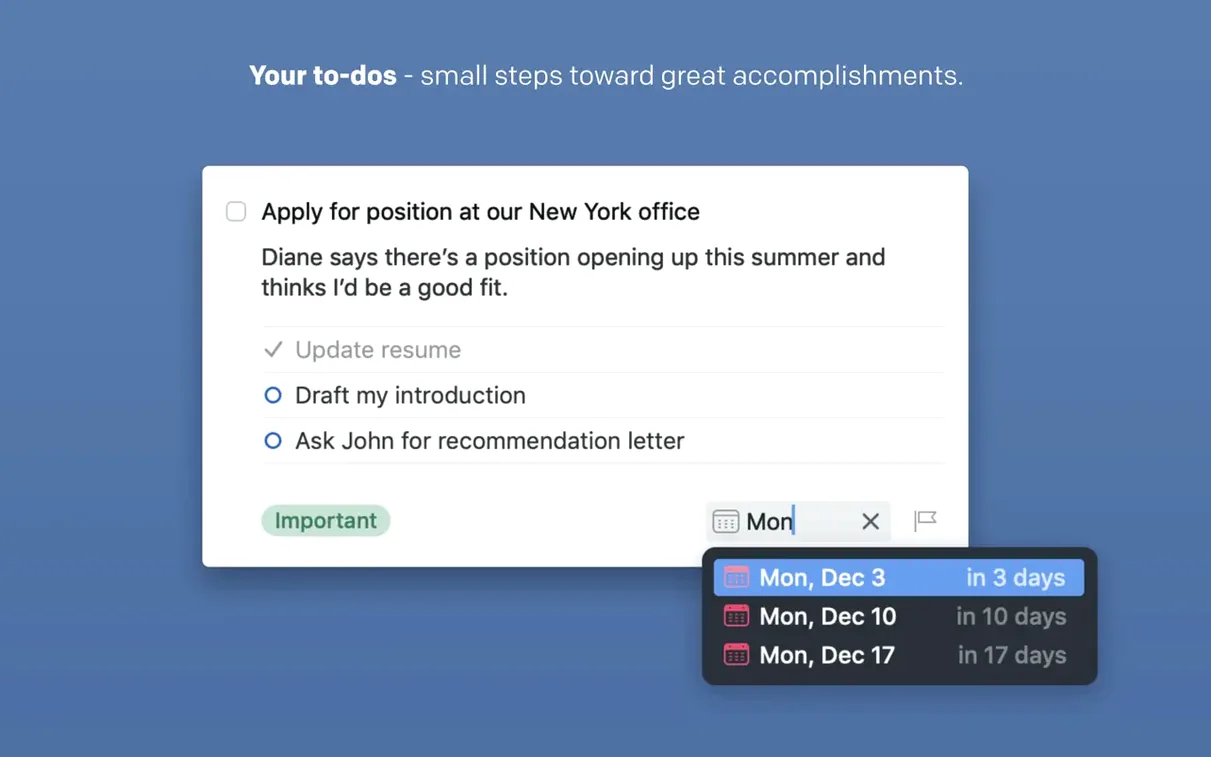
A thought pops into your head while you're reading a work email — you need to chase the printer cartridge order before Friday. Most of the time, that thought gets scribbled on a sticky note and promptly buried under a pile of papers. With Things, you hit a keyboard shortcut, type the task, set a deadline, and get back to what you were doing in seconds. The interruption is gone from your head because you know the app will nudge you on Thursday morning.
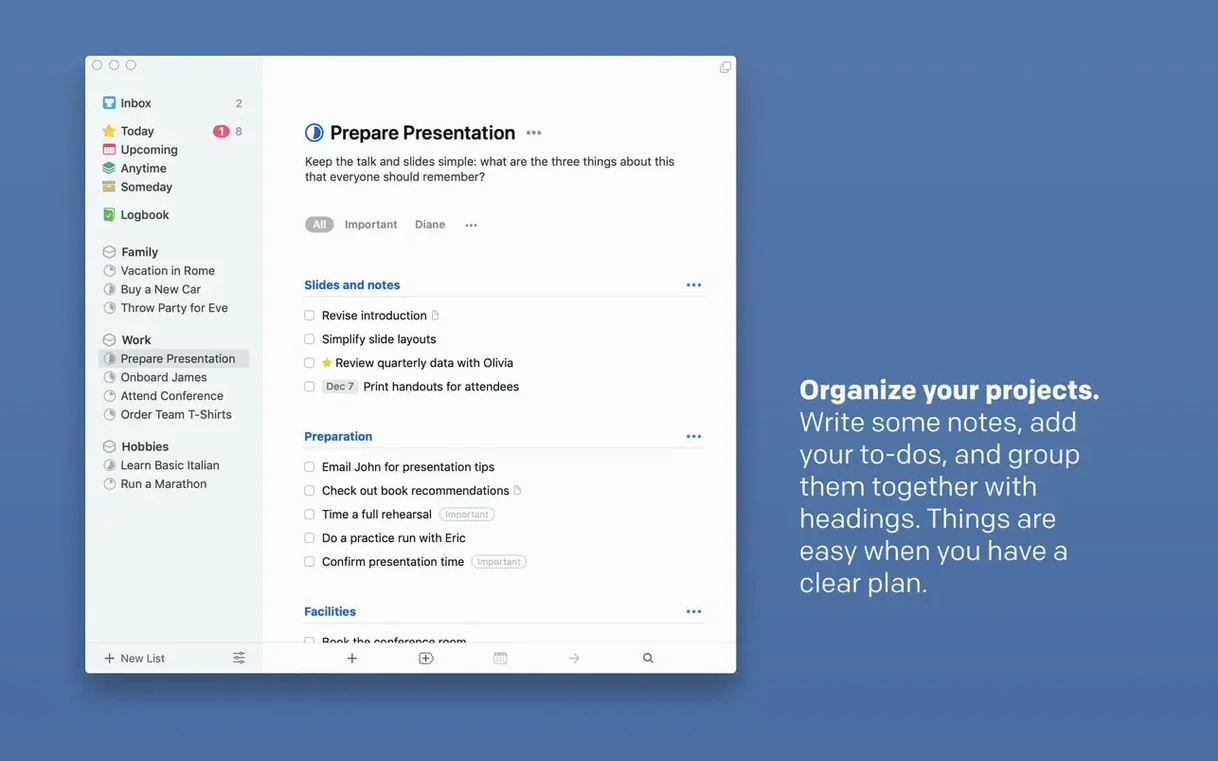
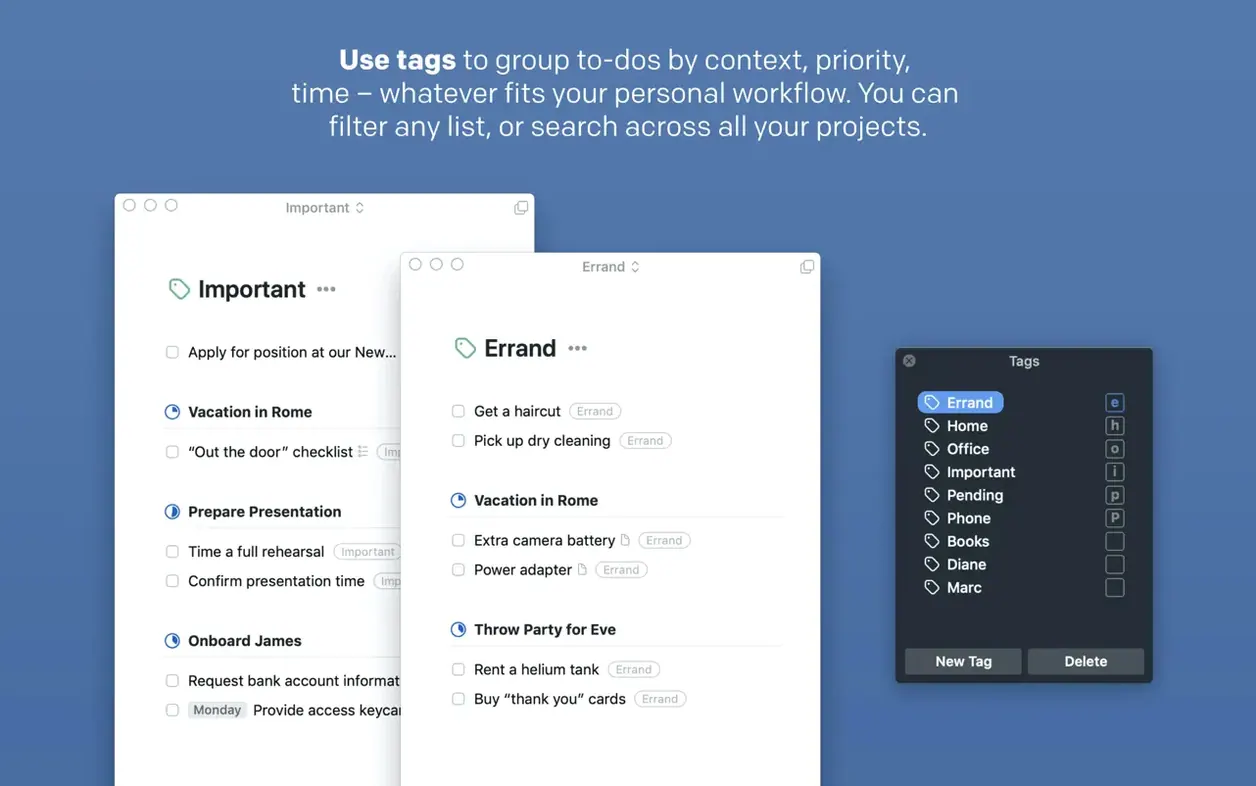
Breaking that task down is where the tool earns its keep. You open a project called "Office supplies," add a heading for the cartridge order, and create sub-tasks: check the model number, find the best price, get sign-off from the manager. You tag the whole lot with "admin" so it sits alongside similar chores. A notes field holds the supplier's phone number, and a deadline on the main task means you never miss the Friday cut-off.
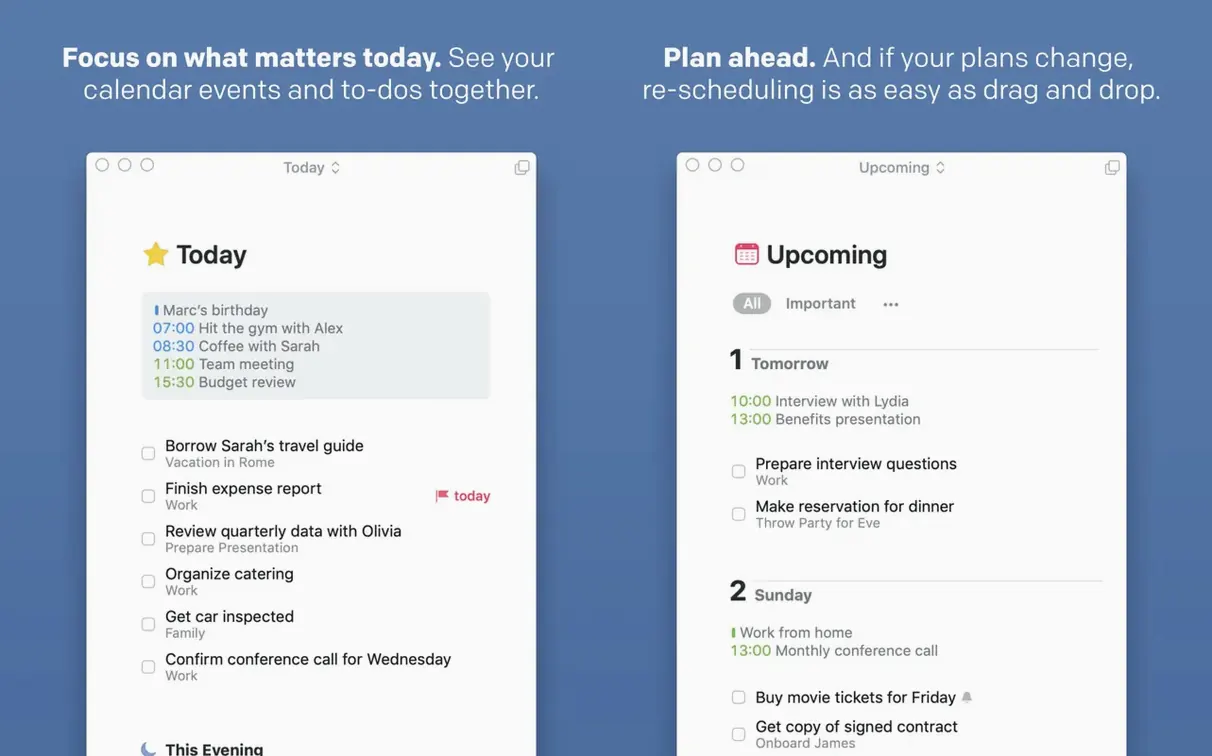
Come Thursday, the reminder fires. You work through the sub-tasks, ticking them off one by one, and watch the project circle fill. The snooze options added in a recent update let you bump the final task to the afternoon if the morning gets away from you. No fuss, no overdue guilt — just a clean list that reflects what's actually happening.
When the order is confirmed, the project is done. It disappears from your today view and sits in the logbook, out of sight. That's the whole rhythm: capture fast, organise when you have a moment, and act when the app gives you a tap on the shoulder.
How Things stacks up against other task apps
OmniFocus goes deep on project structure and custom perspectives. If you run a complex workflow with dozens of active projects and need to see only errands tagged "town" that are due before Tuesday, OmniFocus gives you that. The trade-off is weight — the interface feels heavier, and setting it up takes a proper afternoon. Things keeps the same GTD-friendly backbone but strips the interface back to something you can skim in three seconds.
Todoist lives in the browser and on every platform going. That cross-platform reach makes it the default pick if you share task lists with a Windows-using housemate. But the Mac app is an Electron wrapper, so it never quite feels at home on macOS the way Things does. Keyboard shortcuts are clunkier, and the quick-entry window isn't as fast. Where Todoist wins is collaboration; where Things wins is focus.
TickTick packs a calendar view, a Pomodoro timer, and habit tracking into one app. It does a lot, but the interface can feel busy. Things has always resisted feature creep — you won't find a built-in timer or a habit streak, just a clean list of what needs doing. For plenty of people, that's exactly the point.
Planning a weekend away: a whole workflow
Say you're heading off for a weekend in the Lakes. On Wednesday evening, the thought "sort the trip" is rattling around your head, so you hit Ctrl-Space and type Book train tickets to Windermere into the quick-entry window. You tag it weekend trip and set the deadline for Friday at 6pm. The task drops into your Inbox and you carry on watching telly.
Thursday morning you sit down with a brew and open the Inbox. You create a new project called Lakes weekend, drag the train ticket task in, and add a few more: Pack waterproofs, Check B&B check-in time, Download offline map, Charge camera battery. The map and battery tasks get a Saturday morning deadline; the B&B check goes under Friday evening. You add the B&B phone number and booking reference to the notes field on that task so it's right there when you need it.
Friday rolls around. Your Today list shows the train tickets and B&B check-in task waiting. You book the tickets on the 08:45, tick it off, and the project circle fills a little more. At 5pm the app nudges you about the B&B check-in — you call, confirm the late arrival, and tick it off too. The weekend is sorted, and nothing got forgotten on a scrap of paper.
If you're hunting down a things 3 download mac to get started, this whole setup takes about ten minutes to build, and the habit of quick capture is what makes it stick.
Things 3.24.1 ships with maintenance fixes that keep your lists responsive and stable on the Mac.
- macOS 10.15 (Catalina) or newer
- Works on Apple Silicon and 64-bit Intel Macs
Questions from the bench
Does Things sync between a Mac and an iPhone?
Yes, it syncs via a free Things Cloud account, though the Mac and iPhone apps are sold separately.
Can I jot down a task without opening the main window?
Yes, the quick entry keyboard shortcut lets you create a task from any app without switching contexts.


 Back up
Bench talk (0)
Sign in or get a library card to pin up a note.
Nobody has chimed in on this card. If you have used it on an old Mac, say which one.