

Elmedia Player Pro 8.24 — Mac version
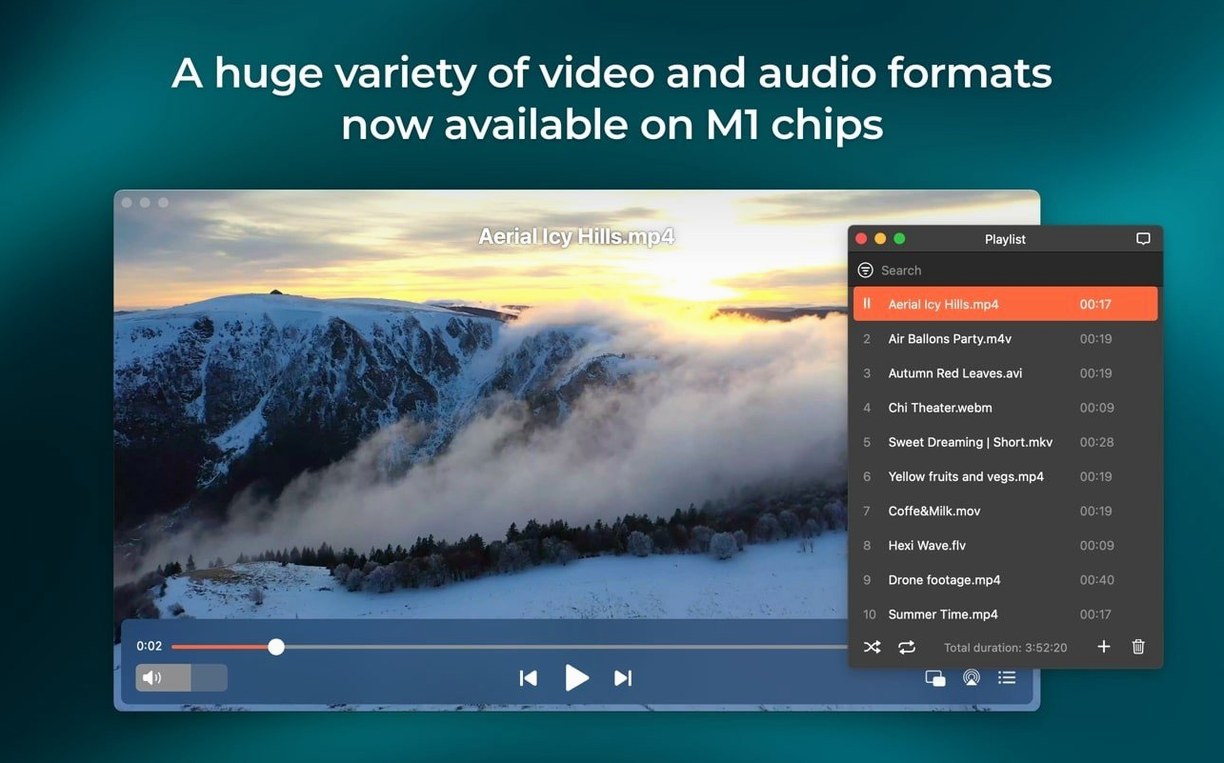
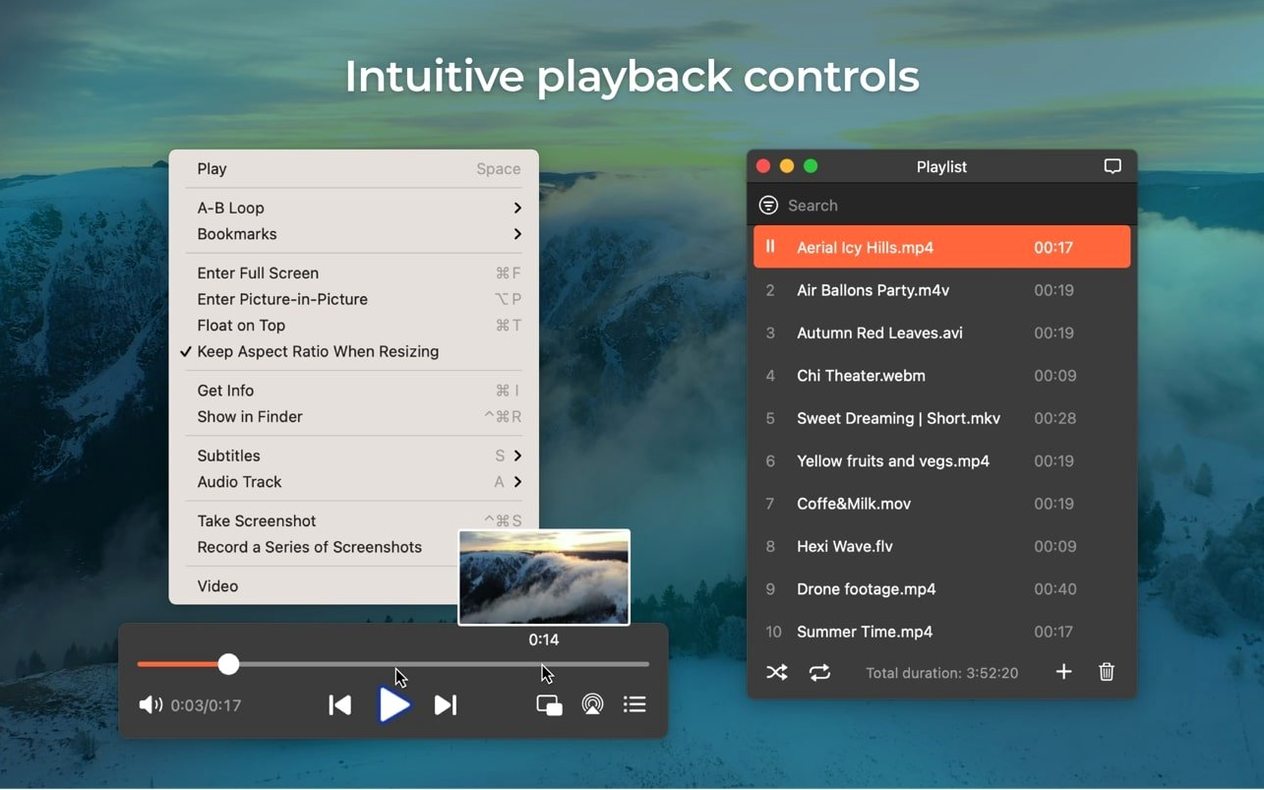
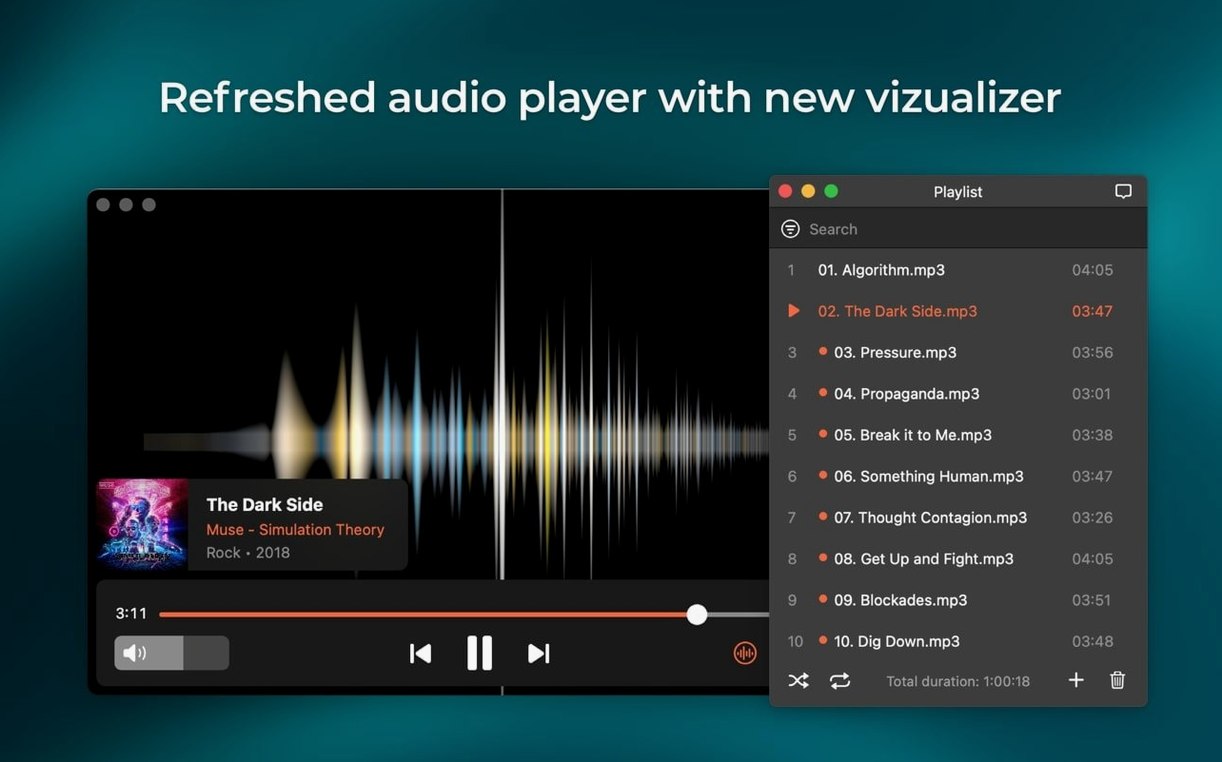
If you've used VLC and wanted something that feels a bit more at home on the Mac desktop, Elmedia Player Pro sits in a similar space. It plays almost anything you throw at it, but the interface is built for macOS from the ground up. No fiddling with hidden menus to find the audio track you want.
Good for
- Playing M4B audiobook files, a format added in version 8.24.
- Downloading online video or stripping out just the audio track to keep offline.
- DVD playback with AC-3 and DTS passthrough when your setup uses S/PDIF or HDMI.
- Routing sound to two, four, or eight channels if your speakers support it.
- Opening old Flash EXE files and converting them to SWF.
Keep in mind
- The built-in web browser is there mainly for streaming to devices, not for everyday browsing.
- Streaming fixes in 8.24 should stop the list-of-devices error and keep your Mac from dozing off mid-playback.
How it fits alongside other apps
Elmedia doesn't try to replace your whole media workflow. I treat it as the middle piece between Finder and the apps that handle one job really well. Drop a folder of mixed video files onto it — MOV from a camera, an old WMV someone sent you, a few MP4s — and it plays the lot without a codec hunt. No need to open QuickTime for one and VLC for another.
It pairs well with HandBrake for previewing encodes before you commit to a long conversion. Open the output file in Elmedia, scrub through to check the chapters and audio sync, then delete or keep it. The hardware-accelerated decoding makes that preview feel snappy even on older Macs.
With macOS's built-in screen recording tool, Elmedia's screenshot feature gives you a clean still without the playback controls burned into the frame. Snapping a TIFF at full resolution while paused on a single frame is something QuickTime Player fights you on. Elmedia just saves it where you tell it to.
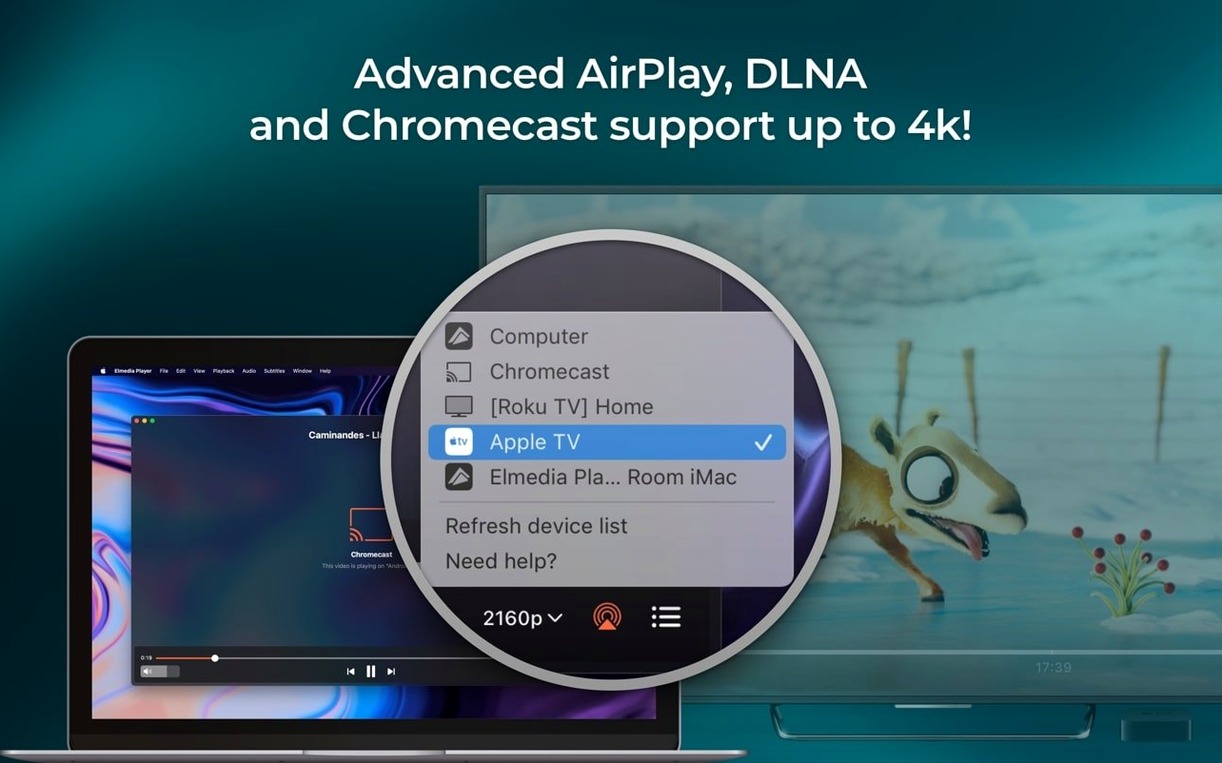
If you've ever tried AirPlay from the Music app and found it laggy, the player's own AirPlay streaming to another Mac running Elmedia keeps audio and picture in sync better than I expected. It's a proper two-machine setup rather than a tacked-on mirror. I've used it to send a film to an iMac in the kitchen while the Mac mini stayed in the workshop — no dropouts over a decent Wi-Fi connection.
Settings to change straight away
Out of the box, Elmedia works. But a few tweaks in Preferences make it behave more sensibly for day-to-day use.
- Playback tab — resume playback on open. Tick this if you dip in and out of long video files and don't want to find your place each time. It remembers where you stopped, even after quitting the app.
- Audio tab — output device and channels. The default is system output. If you have an HDMI monitor with speakers or a USB audio interface, pick it here rather than relying on macOS's sometimes forgetful Sound pane. Setting channels to match your hardware — 2.0, 4.0, or 8.0 — stops the player from sending a silent centre channel to a stereo setup.
- Streaming — prevent sleep. Version 8.24 improved this, but make sure it's on if you stream long playlists to another device. Nothing worse than the Mac going dark halfway through a film.
- Screenshots — format to PNG. TIFF files get large fast. PNG is lossless and smaller. Change the default unless you specifically need TIFF for print work.
Common snags and fixes
Video plays but there's no sound
First check the obvious: is the volume slider inside Elmedia up? Then look at the audio track selector — some MKV files default to a surround track your speakers can't decode. Switch to a stereo track from the Audio menu.
If you're using passthrough for AC-3 or DTS, confirm your audio chain actually supports it. A USB headphone socket won't carry S/PDIF or HDMI audio. Plug directly into the Mac's HDMI port or use an optical out if your machine has one.
Streaming stutters or won't connect
The 8.24 update fixed the device list error, but if AirPlay still fails, restart both the Mac and the receiving device. Check they're on the same Wi-Fi network — the player won't hop across a guest network to find your speakers. For RTMP streams, a patchy internet connection can cause buffering; downloading the stream first (right-click the playing video) often gives smoother playback than live streaming.
Flash EXE files won't convert
These are Windows executables, so the Mac can't run them directly. Drag the .exe into Elmedia and use the Convert to SWF option. It strips out the Windows wrapper and leaves you with a playable SWF. Not every EXE cooperates — some have DRM or rely on external files — but standard Flash projects convert fine.
M4B audiobooks don't show chapter markers
Support for M4B arrived in 8.24. If chapters don't appear, try re-adding the file to the playlist. Some audiobook files embed chapter data in a way that only refreshes on a fresh import. The player handles the playback; chapter navigation depends on how the file was authored.
How it compares with similar players
Elmedia Player Pro versus VLC
VLC plays more esoteric formats and runs on practically everything. But its Mac interface feels bolted on. Elmedia's playback controls, playlist sidebar and right-click menus follow macOS conventions. VLC wins on format breadth; Elmedia wins on feeling like a Mac app rather than a port. For most common formats — MKV, MP4, AVI, MOV — you won't notice a difference in what they handle. You will notice the difference when you want to take a quick screenshot or stream to another device without digging through three menus.
Elmedia Player Pro versus IINA
IINA is the modern, open-source darling built on mpv. It looks beautiful and follows macOS design language closely. Both handle hardware decoding well. Where Elmedia pulls ahead is the built-in downloading and RTMP stream capture. IINA doesn't download online video. Elmedia also has the Flash-to-SWF converter, which IINA doesn't touch. If your media is all local files and you want the sleekest free player, IINA is solid. If you grab video from the web or need AirPlay to another Mac, Elmedia does more.
Elmedia Player Pro versus Movist Pro
Movist Pro is another paid Mac-native player with a clean interface. Both support HDR tone-mapping and a wide format list. Where Elmedia has the edge is the online video downloading and the ability to pull audio tracks out of streamed content. Movist focuses on local playback quality. If you watch a lot of high-bitrate local files and care about subtitle rendering finesse, Movist deserves a look. If you want one player that handles local files, web streams and the odd Flash leftover, Elmedia covers more ground.
- M4B audiobook support added.
- Better compatibility with macOS 26.
- Mac no longer falls asleep while streaming.
- Fixed streaming to certain devices.
- Fixed an error when opening the device list for streaming.
- macOS 10.12 or later
- Works on Intel and Apple Silicon Macs
Questions from the bench
Can Elmedia Player Pro handle audiobooks?
Yes. Version 8.24 added support for M4B audiobook files, so you can play them alongside your other media.







 Back up
Bench talk (0)
Sign in or get a library card to pin up a note.
Nobody has chimed in on this card. If you have used it on an old Mac, say which one.