

ServerCat - SSH Terminal 26.9.2 — Mac version
You’re halfway through tweaking a Docker container in your usual terminal app when you realise you want a quick glance at CPU load without typing another command. That’s where ServerCat earns its keep.
A read-only dashboard for the SSH servers you already have
It doesn’t try to replace Terminal or iTerm. Think of it as the dashboard that sits next to them. It reads Linux /proc data over the same SSH connection you already have, so there’s nothing extra to install on the server.
What can I see at a glance?
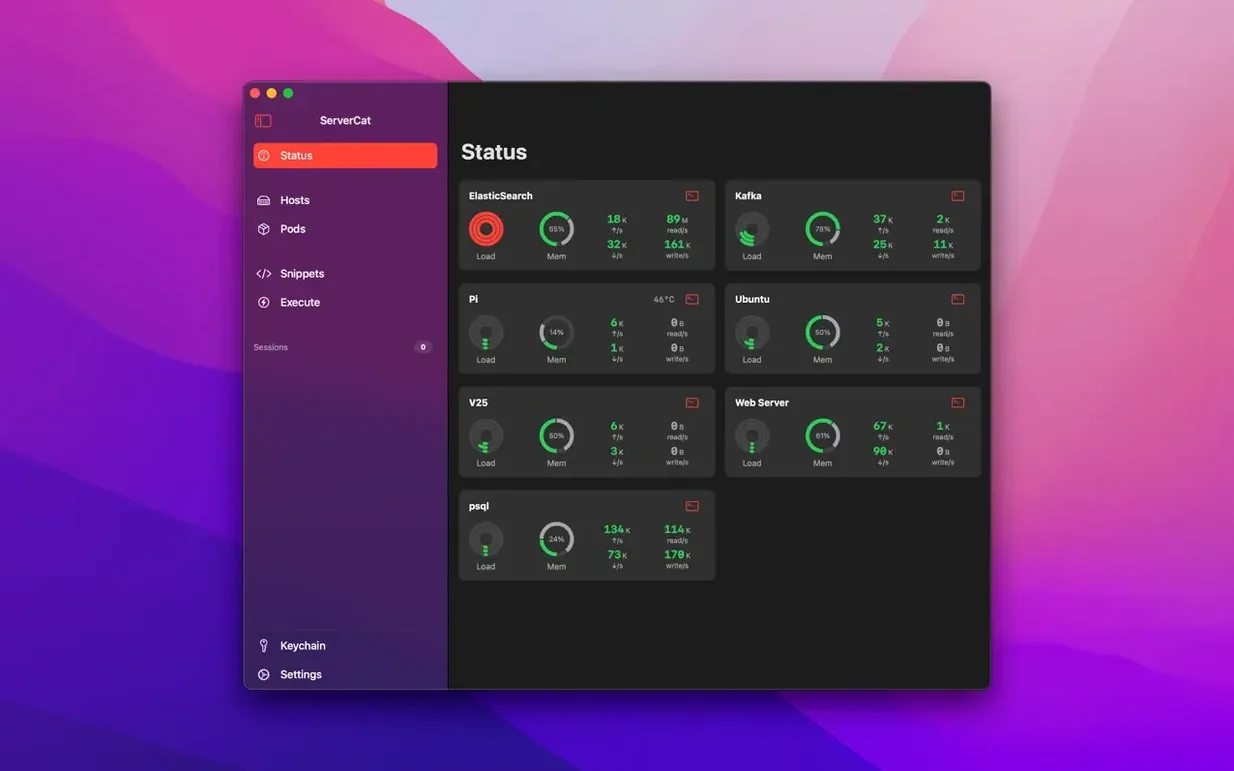
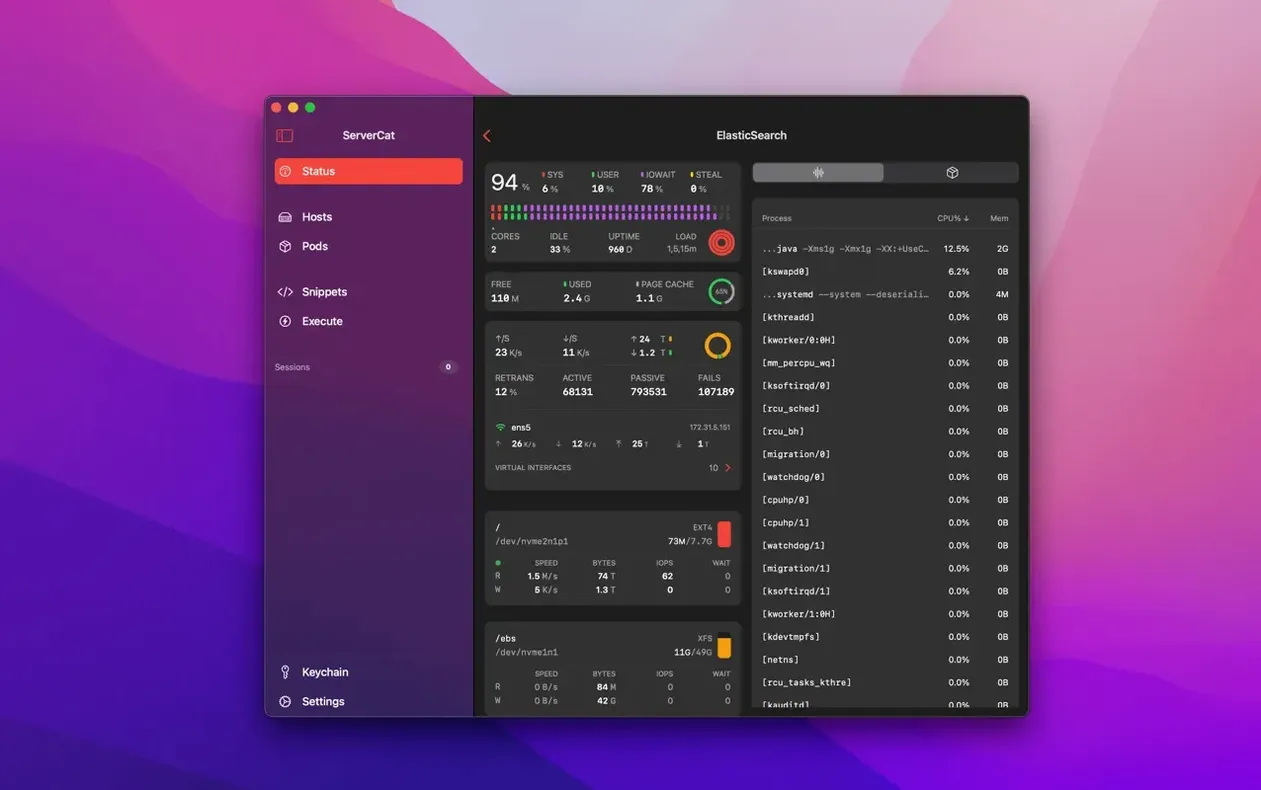
CPU usage broken down by core, running processes, disk blocks and IOPS, and GPU activity all show up in the main view. If you run Docker containers, their status and resource stats appear too.
Where do my login details live?
SSH credentials are encrypted with AES and stored on your Mac. The app doesn’t use iCloud, so nothing leaves the machine unless you move it yourself. The official FAQ confirms it never installs programs on your servers and relies only on the local /proc file system for its readings.
Double-click a server row to jump straight into a terminal
Most people open the app, tap a server, and stare at the graphs. Fair enough. But a few small things make the daily grind smoother.
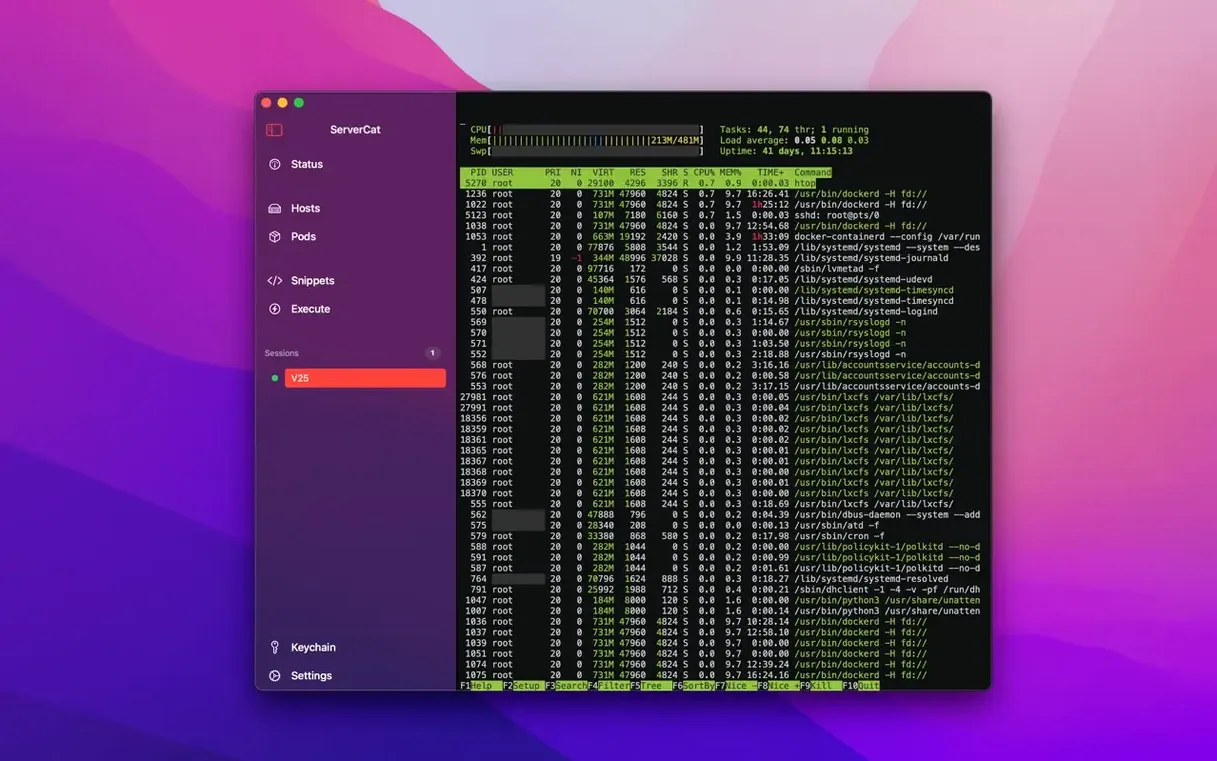
You can jump straight into a terminal session by double-clicking a server row instead of using the menu. If you're already inside the monitoring view, Cmd-T opens an SSH shell on the same host without hunting through the sidebar. Handy when a process misbehaves and you want to htop it mid-panic.
On the status screen, tapping any metric tile — CPU, memory, disk — expands it to show finer detail. The network tile reveals TCP stats and interface speeds that stay hidden in the default compact layout. Right-clicking a Docker container in the list gives you pause and restart actions without typing a single docker command. Small things, but they add up.
Checking three VPS boxes while the coffee brews
Rita runs a handful of low-cost VPS boxes for hobby projects: a Pi-hole, a small Matrix server, and a Docker host for messing about. She keeps ServerCat open on her Mac Mini while she brews coffee. One glance tells her the Matrix box is idling at 3% CPU — normal — but the Docker host's memory graph is edging upward faster than usual.
She opens the container list and spots a dev container she forgot to tear down after testing a build pipeline the night before. Two clicks, container stopped. No SSH session needed, no scrolling through docker ps output. The whole check takes under a minute, and the coffee is still hot. For someone managing personal infrastructure between other tasks, a servercat - ssh terminal mac full version that doubles as a monitoring pane saves a surprising amount of context-switching.
- Added support for iOS 27 and macOS 27
- Fixed a bug that showed memory usage stuck at 100% on some Macs
- macOS 14.1 or later
- Works on Apple Silicon and Intel Macs
Questions from the bench
Does ServerCat put anything onto the servers I monitor?
No. The app reads status data purely through SSH by accessing the Linux /proc file system. It does not install programs or depend on third-party tools on the server.








 Back up
Bench talk (0)
Sign in or get a library card to pin up a note.
Nobody has chimed in on this card. If you have used it on an old Mac, say which one.