
LightBurn 2.0.05 — Mac version
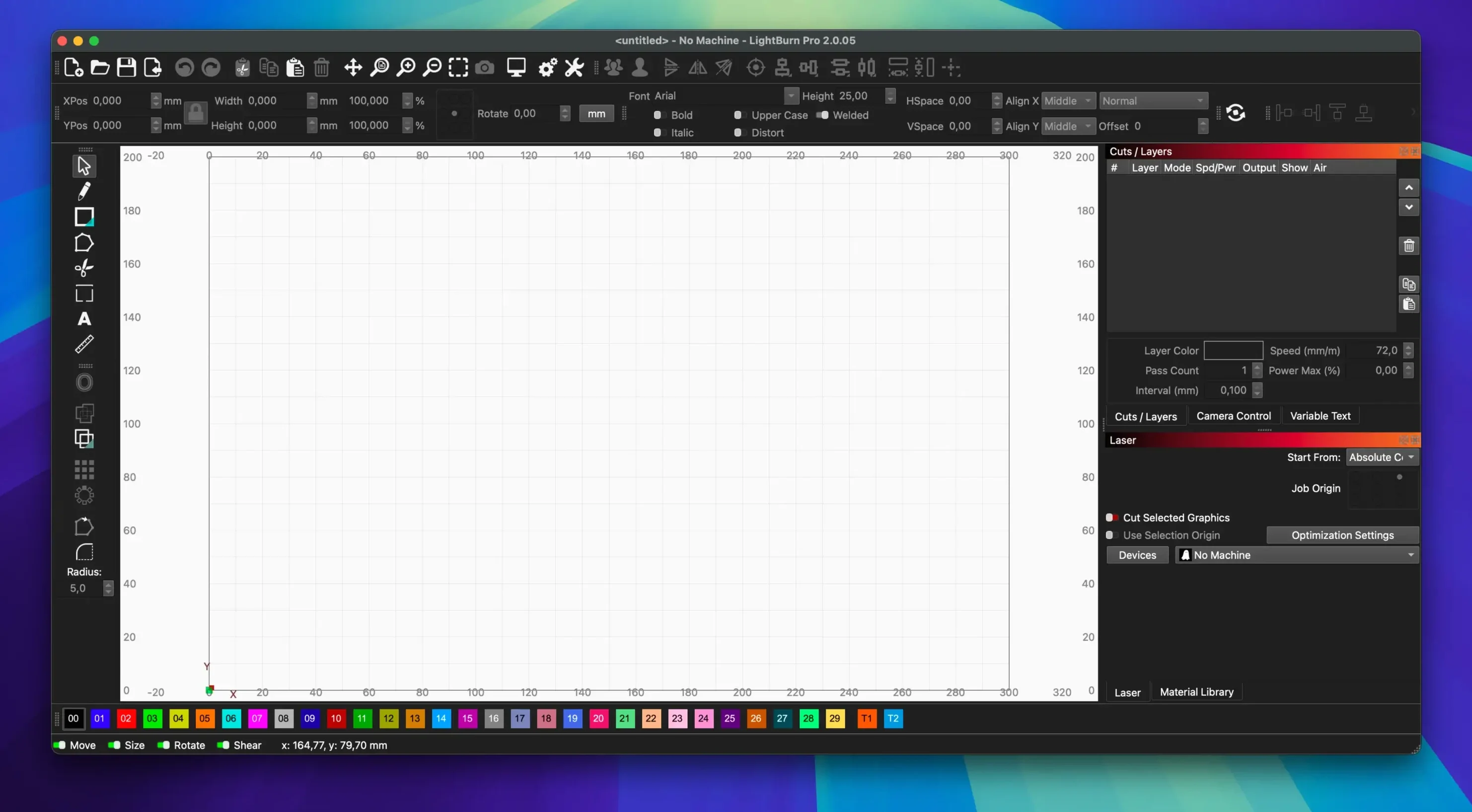
You've sketched a sign for the bike library, exported it, and now you're ready to etch it onto reclaimed ply. With LightBurn open, the whole job—tweaking the artwork, setting the cut, and firing the laser—happens in one place.
1. Draw or tidy up your artwork
The built-in editor lets you create shapes from scratch or polish an imported file. There's vectorisation for turning a scan into clean paths, plus masking and edge enhancement if your source image is a bit rough.
2. Set up the material and cut
Grab a preset from the material library, then adjust power, speed, pass count, and cut order. For engraving, tweak brightness, contrast, and dithering to get the depth and shading you want.
3. Send it to the laser
LightBurn talks directly to your cutter—no extra go-between software. It handles rotary axes and cameras too, so you're not limited to flat stock.
The editor, layout tools, and machine controls are a single native app for Mac. It's made for hobbyists and pros alike, with a clear, modern interface. Just bear in mind: if your Mac runs Apple Silicon, you'll need Rosetta installed to make it work.
Overlapping lines and stray nodes become real cuts
Most early slip-ups come from trusting the screen too much. LightBurn shows you a preview, but the laser doesn't know what you meant—it knows what you drew. Overlapping lines, duplicate shapes, and stray nodes all become real cuts. Before you press start, zoom in and look for anything that shouldn't be there.
Another common one: setting power too high on the first go. Scrap ply is cheap, but a burnt-through bed isn't. Start low, run a test square, then nudge things up. The material library gets you close, but your tube, lens, and focus all shift the result a bit.
And don't forget the focus. A crisp preview means nothing if the head isn't at the right height. Beginners often skip the focus test, then wonder why the cut is fuzzy or barely bites.
Check if your older Mac or Apple Silicon setup can actually run it
Will it run on my older Mac? If you're on macOS 10.13 or later with an Intel 64-bit chip, yes. Apple Silicon Macs work too, but only through Rosetta—so if you stripped that out to save space, put it back before you bother with the lightburn download for Mac.
Do I need another program to run my laser? No. LightBurn edits, lays out, and drives the cutter itself. You don't need to bounce between an editor and a sender. That's the whole point of it.
Can I open my old files? AI, SVG, DXF, PDF, PNG, JPG—they all come in. If you're moving from another tool, your existing artwork should follow you without drama.
Is it only for pro workshops? Not at all. The repair café crew use it for odd jobs like etching ruler marks onto jigs. You can start with simple shapes and grow into the fancier tools later.
The app sits there unopened—install Rosetta first
- The app won't open after copying it across. On an Apple Silicon Mac, check that Rosetta is installed. Without it, the app just sits there. Install Rosetta, then launch again.
- SVG import crashes or comes in blank. Version 2.0.05 fixed a crash with ungrouped DEF shapes in SVGs. If a file still misbehaves, open it in another editor, group the shapes, export again, and retry.
- The rotary jogs the wrong way in CCW mode. This release sorted that direction bug. Make sure you're on 2.0.05, then re-run the rotary setup if the movement still feels off.
- Window title bar sits in the wrong place. Stored offsets sometimes push it off-screen. The fix in this version resets that. If it still looks odd, trash the preferences file and relaunch.
- Cuts fire but look weak. Clean the lens, check the focus, then drop the speed before you raise the power. Slow and steady beats hot and hasty.
One tip from the workshop: keep a scrap of the same material next to the laser. Run a five-second test on it before every new job. It saves more time than any setting tweak.
- Fixed window title bar placement when stored offsets were wrong
- Fixed rotary jogging direction in CCW mode
- Fixed a crash importing SVG files with ungrouped DEF shapes
- macOS 10.13 or newer
- Intel 64-bit processor
- Apple Silicon Macs require Rosetta



 Back up
Bench talk (0)
Sign in or get a library card to pin up a note.
Nobody has chimed in on this card. If you have used it on an old Mac, say which one.