

attn LED 1.0 — Mac version
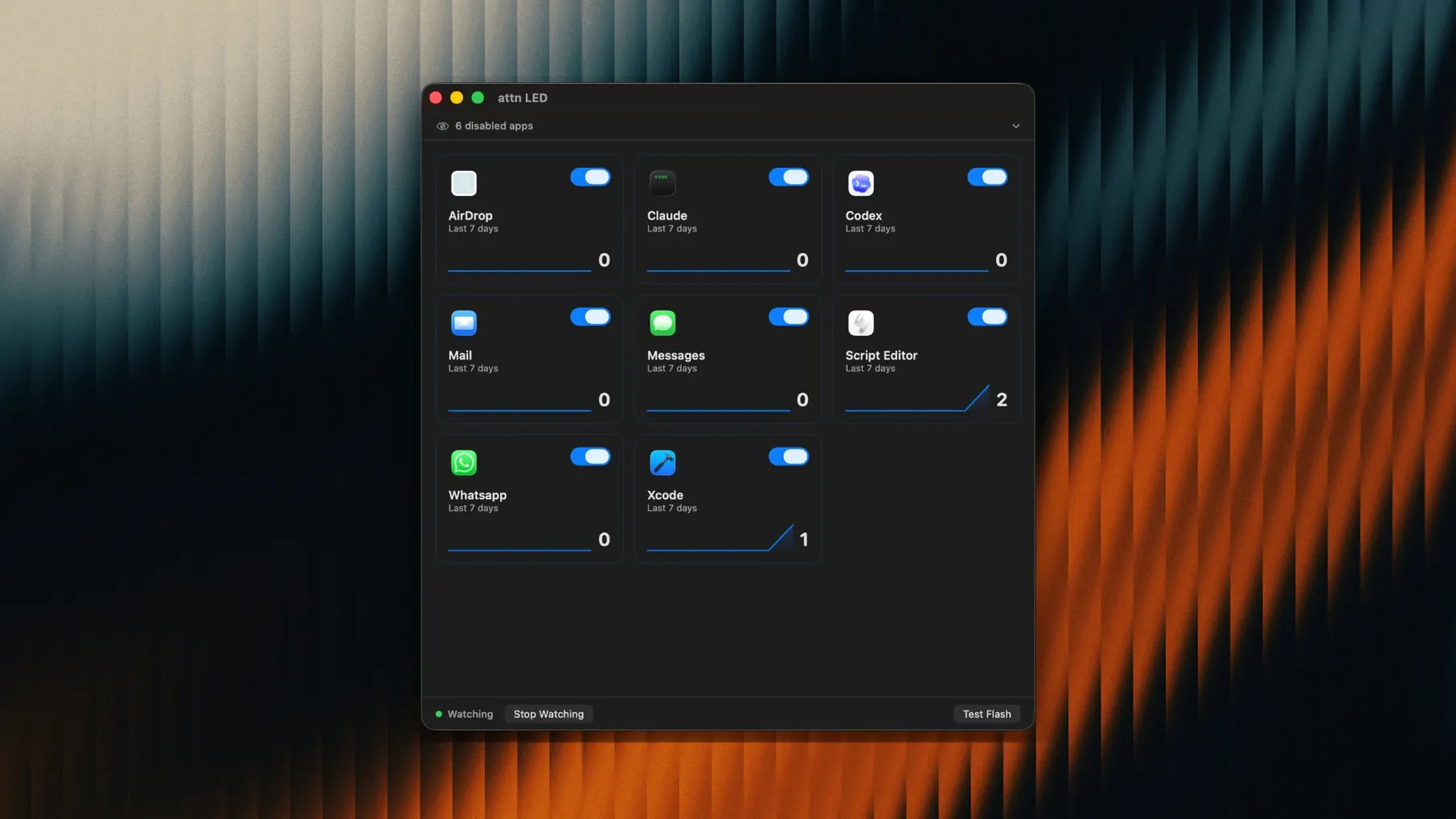
The LED stays blinking. That's the bit that matters. On a desk, across a room, out of the corner of your eye — you'll see it. attn LED turns the little green camera light on your MacBook into a notification nudge that doesn't quit until you open the app that triggered it.
Picking exactly which apps trigger the light
- Works alongside the apps you already use — Slack, Mail, Messages, Discord, Teams, Telegram.
- You choose which apps get the LED treatment. The rest stay silent.
- Automatically spots new apps with notification permissions, so you don't need to dig through settings.
- Runs on Apple Silicon and Intel Macs, macOS 12 and up.
One light, one job
The camera LED is visible from practically anywhere in the room. If you've stepped away to make tea or you're deep in another task with notifications muted, the blink pulls you back. Open the app, the light stops. No dock badges to miss, no silent banners fading away. Just a physical reminder that something needs a look.
Alongside Focus mode and video calls
Where attn LED really earns its keep is with macOS Focus and Do Not Disturb. Normally those modes bury everything — banners, sounds, badges. The app watches the notifications database through FSEvents, so it can spot an alert from your chosen apps even when the system would otherwise hide it. The LED blinks regardless.
It also knows when to step aside. During FaceTime calls, Zoom meetings, or anything else that grabs the camera, the blinking pauses. No awkward green flash while you're on a video call. When the call ends, monitoring picks up again on its own.
Why catching up beats staying focused
Most notification helpers on the Mac try to do more. BannerBuddy redirects alerts into a custom pop-up, which is fine if you're staring at the screen but useless when you've stepped away. HazeOver dims background windows to keep you on task — clever for focus, but it doesn't tell you when something needs attention. attn LED takes the opposite approach: it gets out of your way entirely and uses a hardware light that works at a glance, from across the room.
Then there's NotchBar, which crams notification dots into the menu bar or around the notch. Neat, but again — you have to be looking at the screen. The attn LED approach is more physical. One blinking light, one meaning. No reading, no scanning.
Sipping 40 MB of RAM on an M1 Air
On an M1 MacBook Air the app sits at roughly 40–60 MB of memory in normal use. CPU time is barely a blip — it's watching a database, not polling the camera or doing anything heavy. Launch is instant, and there's no menu bar clutter beyond a small status icon you can hide.
On an older Intel MacBook Pro running macOS 12, the footprint is similar. No fan spin-ups, no lag when other apps are busy. The FSEvents monitoring is efficient by design — Apple built that API for exactly this kind of lightweight file-system watching. If you're the sort who keeps an eye on Activity Monitor, you'll find attn LED near the bottom of the list, not the top.
Stability over a full workday has been uneventful, which is what you want from a tool that's meant to sit quietly in the background. The LED blinks when it should, stops when you open the app, and doesn't interfere with sleep or lid-close behaviour. If a video call starts mid-blink, the pause is immediate.
- macOS 12 or later
- Apple Silicon or Intel Mac








 Back up
Bench talk (0)
Sign in or get a library card to pin up a note.
Nobody has chimed in on this card. If you have used it on an old Mac, say which one.