

BetterZip 6.0.6 — Mac version
Rearrange files inside a ZIP
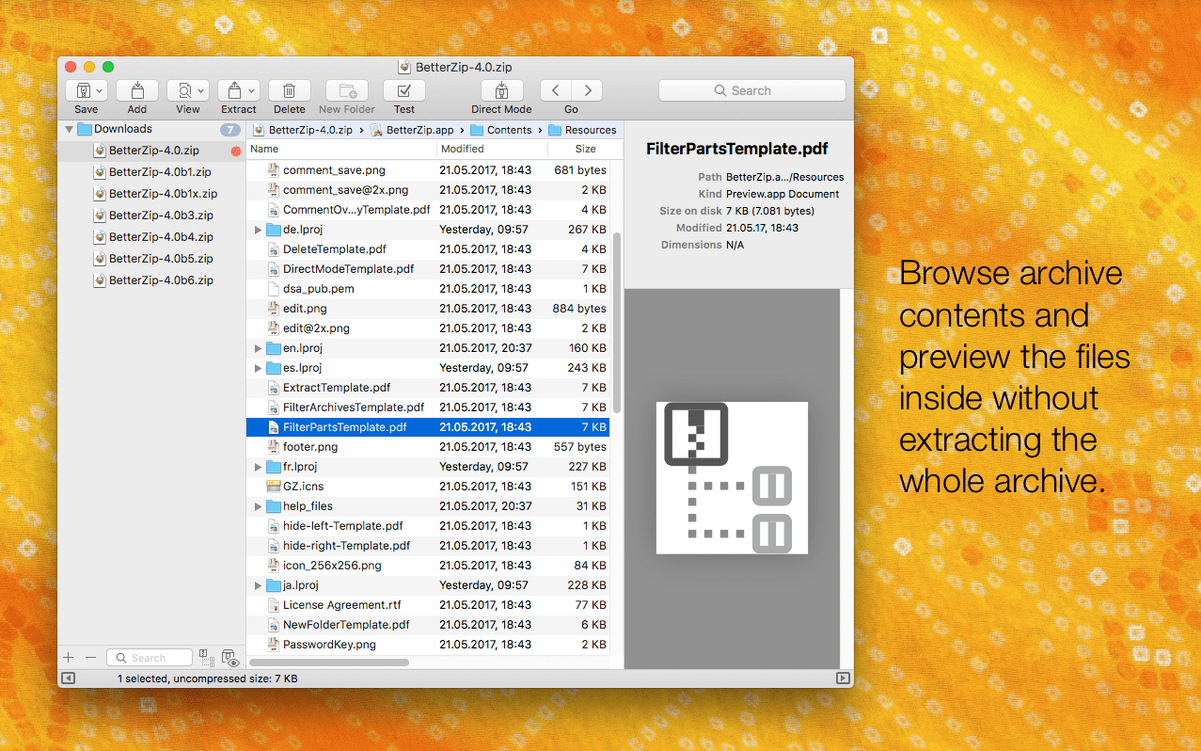
BetterZip's standout trick is letting you rename or move files and folders inside an archive without repacking the whole thing. Open a ZIP, drag items around, rename a file that's spelled wrong — all done directly. The archive stays intact and you save the faff of extracting and re-compressing.
Peek with Quick Look
Highlight any file in an archive and tap the spacebar. A Quick Look preview pops up right away, so you can check a readme, a photo or a spreadsheet before you commit to extracting it. No need to unpack everything just to find one document.
Open a 7z archive
macOS doesn't handle 7z natively, but BetterZip does. Drag a 7z file in and you can browse, extract or delete individual files from it — same as a ZIP. Works for ISOs and over 30 other formats too.
Opening a large archive without the wait
BetterZip feels quick because it doesn't try to do everything at once. Open a large archive and the file list appears near enough instantly — it reads the table of contents without decompressing the payload. Extraction speed depends on the format and your drive, but in practice a 2 GB ZIP unpacks in roughly the same time as Finder's built-in tool. Where you notice the edge is with 7z and RAR files, because Finder can't touch those at all. The app stays responsive even while a big extraction runs in the background, and the operations queue lets you stack several jobs without the UI locking up.
Memory usage sits around 80–120 MB for everyday browsing. That creeps up with enormous multi-part RAR sets or encrypted 7z archives, but I've never seen it break 300 MB. CPU load peaks during compression — the updated 7z helper in version 6.0.6 includes Apple Silicon assembler optimisations, so M1 and M2 Macs chew through 7z jobs noticeably faster than before. On Intel machines the difference is smaller but still solid. The app doesn't load background agents or launch daemons, so when you close it, it's properly closed.
Skip invisible .DS_Store files when extracting
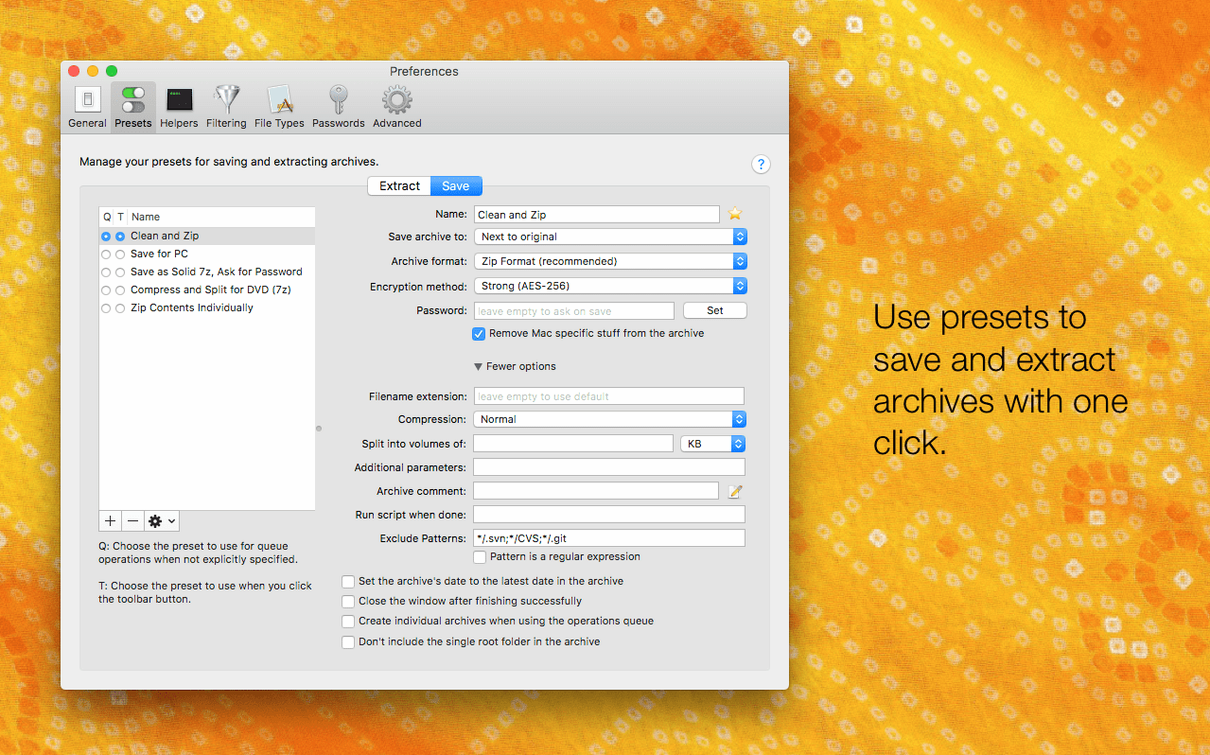
A handful of preferences make a real difference right away. Open the Extraction pane first: the new option to skip restoring macOS metadata during extraction (added in 6.0.6) stops your destination folder filling up with invisible .DS_Store and AppleDouble files. Tick that unless you specifically need resource forks preserved.
Next, head to General and set the default archive format. BetterZip defaults to ZIP, but if most of your collaborators use Windows, switching to 7z with AES-256 encryption gives you better compression and wider password compatibility. While you're there, turn on Generate strong passwords — it fills the encryption field with a 24-character string you don't have to dream up yourself.
The Quick Look tab is worth a visit too. You can choose which file types preview inline and which ones open in an external viewer. I set plain text and images to inline and leave spreadsheets to open in Numbers — saves a click every time.
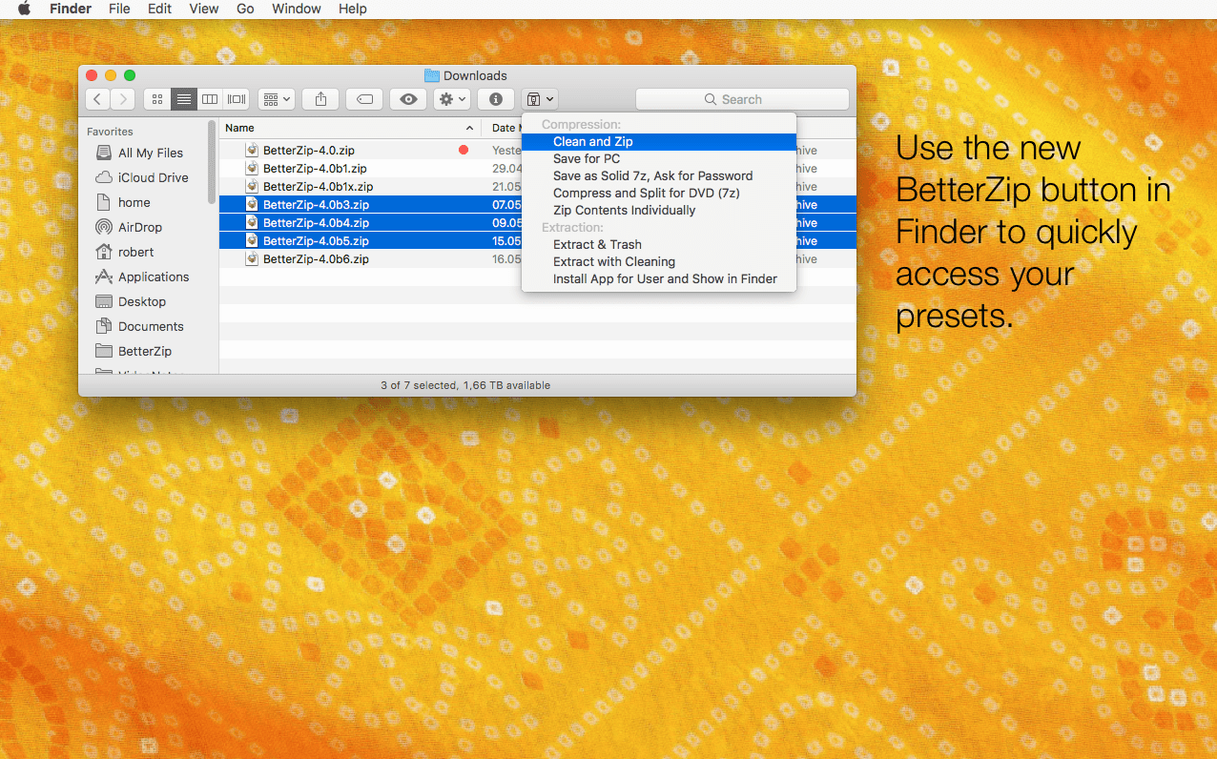
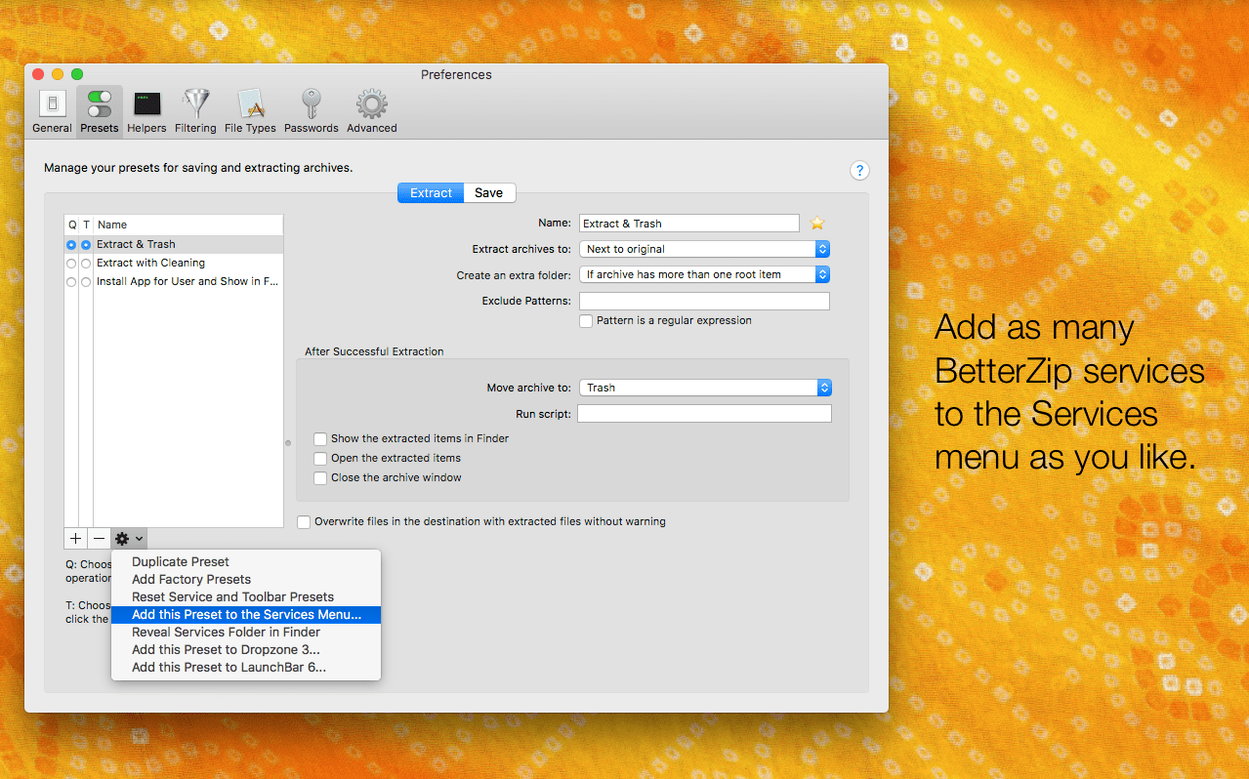
If you use BetterZip's Finder extension, right-click any file in the Finder and choose Services > BetterZip to compress or extract without launching the main window. The operations queue icon lives in the menu bar by default; you can hide it in Queue preferences if you prefer a cleaner menu bar.
Leaving Finder to handle plain ZIP files
Handling two dozen formats Finder can't
Not entirely, and that's fine. BetterZip registers itself for formats Finder can't handle — 7z, RAR, TAR.GZ, ISO and about two dozen others. For plain ZIP files, you choose whether BetterZip takes over or leaves them to Finder. Most people let BetterZip handle everything when they need to edit archives and keep Finder as the fallback for quick right-click compresses.
Running smoothly on a 2018 MacBook Air
Unlikely. The minimum is macOS 13.5, which covers Macs back to 2017 or so. On a 2018 MacBook Air with 8 GB of RAM, BetterZip runs smoothly for day-to-day archive browsing. The only time you'll feel the age of the machine is during heavy compression jobs — packing a 10 GB folder into 7z will peg the CPU for a while, but that's true of any compression tool.
Can I try it without the Finder extension?
Yes. During installation, BetterZip asks whether you want the Finder extension and the menu-bar queue icon. You can skip either or both and turn them on later from the app's preferences. Some people run it purely as a standalone window — open BetterZip, drag an archive in, do your work, quit. The core features don't depend on Finder integration at all.
- An option to use BetterZip in a different language than your system language
- An option to skip restoring macOS metadata when extracting
- Updated 7z helper to v26.03 with Apple Silicon assembler optimisations
- Fixed a rare crash when talking to external helper tools
- macOS 13.5 or newer
- Works on Intel and Apple Silicon Macs
Questions from the bench
Can BetterZip delete a single file from an archive?
Yes, you can remove one or more files directly from an archive without repacking the rest.
Does BetterZip work with ISO disk images?
It does. BetterZip can extract ISO disk images alongside more than 30 other archive formats.
Can I use BetterZip in a language different from my Mac's system language?
Yes, version 6.0.6 added an option to pick a different language inside the app's settings.







 Back up
Bench talk (0)
Sign in or get a library card to pin up a note.
Nobody has chimed in on this card. If you have used it on an old Mac, say which one.